

Content
Testimonials
Customer reviews and quotes, and asking customers to write one.
Testimonials are the customer quotes on your website. One entry is one quote.
You write a quote once, here. It then shows on every page that has a Testimonials block, and it reads the same on all of them. You can also ask a customer to write one for you. See Asking a customer below.
Go to Content, then Website, then Testimonials.
Important
Only put up reviews that real customers really gave you, and ask them first. Made up praise is not worth much, and in most places it is against the law.
A short quote, a first name and a last initial is plenty. You do not need a full name.
Adding a quote
Click Add New, fill in the boxes, then click Save.
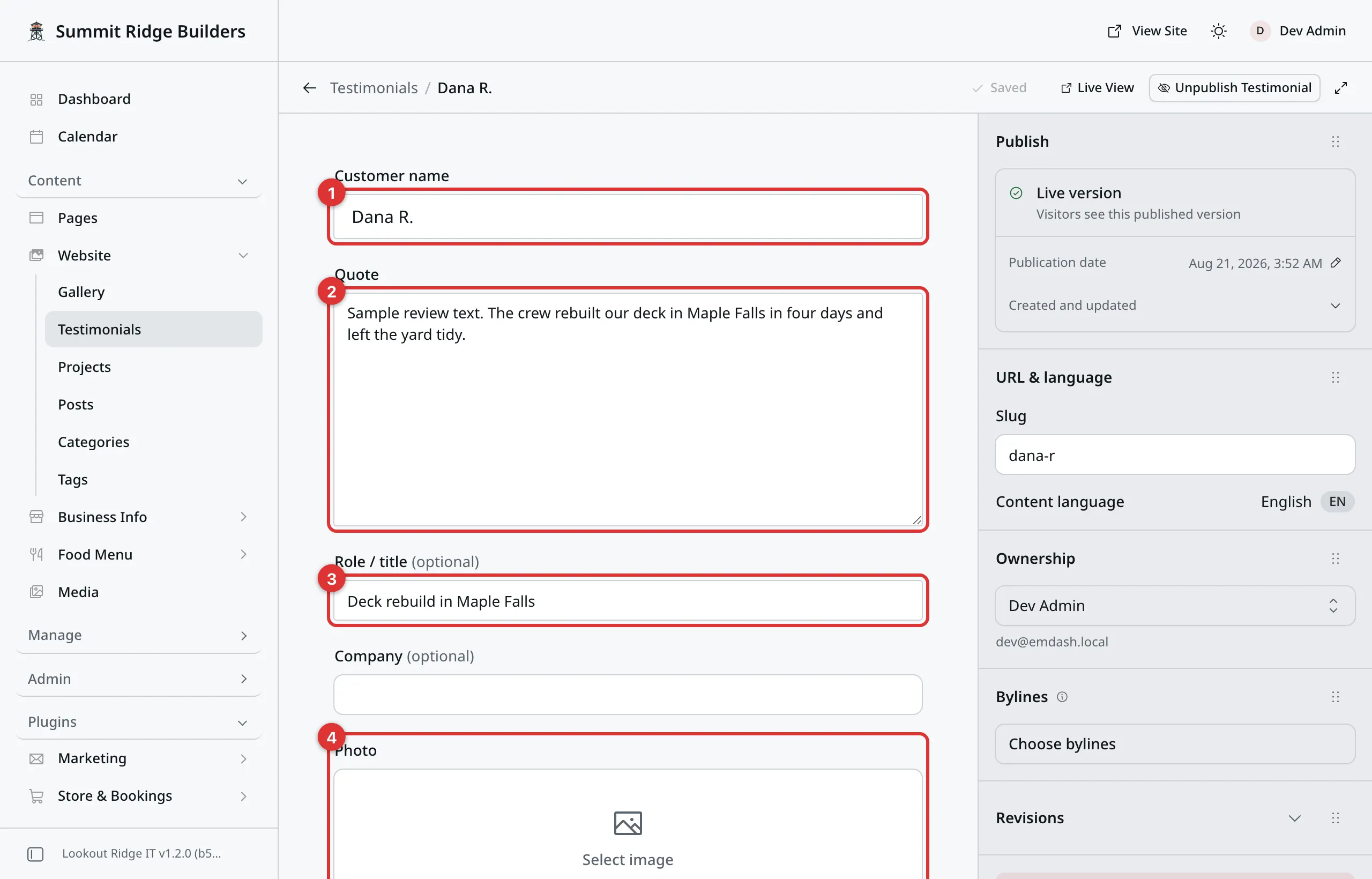
Two boxes are required. The rest are yours to use or skip.
1. Customer name. Who said it. This shows under the quote, so “Dana R.” is a fine answer.
2. Quote. Their words. Type them without quote marks around them: your website adds those. Keep it to a sentence or two. A long review reads as a wall of text on a card.
3. Role / title. A short line under the name. On a trade website the useful thing to put here is the job, such as “Deck rebuild in Maple Falls”.
4. Photo. A picture of the customer, shown as a small circle beside the name. Most businesses leave this empty, and the card looks fine without it. Never use someone’s photo without asking.
Three more boxes are on the form. Company sits just above Photo, and the other two are further down.
Company shows after the role, as “Role at Company”. Leave it empty unless the customer is a business.
Source link (Google, Yelp, …) takes the web address of the review on the site it came from. A link then shows under the name. For a review on Google, Yelp, Facebook, BBB, Trustpilot, Nextdoor, Angi, Houzz or Tripadvisor, it reads “Read on Google”, “Read on Yelp” and so on. For any other site it reads “Read the original”.
Star rating takes a whole number from 1 to 5. The card then shows that many stars above the quote. Leave it empty and no stars show.
Then click Publish now, then Publish now again to confirm. Saving and publishing covers the rest.
Tip
A good review on Google or Yelp can go on your website too. Copy the words, the reviewer’s name and the stars into a new testimonial, and paste the link to the review into Source link. Your website cannot fetch reviews from those sites by itself.
Asking a customer
Your website can email a customer and ask for a testimonial. They get a private link to a short form on your website. What they send comes back to you as a draft, and nothing goes on your website until you publish it.
Go to Plugins, then Content Tools, then Testimonials.
- Type the Customer name.
- Type their Email.
- Click Send.
The customer gets one email with their own link. Their name is already filled in on the form. The link works once, and it stops working after 60 days.
If they have not answered after a week, your website sends them one reminder. Only one. Nobody gets pestered.
Keeping track
The table on the same screen lists every request. Status shows where each one stands:
| Status | What it means |
|---|---|
| Sent | The email went out. No answer yet. |
| Reminded | The one reminder went out too. |
| Submitted | The customer sent a testimonial. |
| Expired | The link ran out after 60 days. |
When a request is Submitted, click Review draft to open what the customer wrote.
Revoke stops a link from working, such as when you sent it to the wrong address. On a submitted request the button reads Remove. That only takes the row off this list. The draft stays in your testimonials.
The open form
Under Shareable link sits the address of the same form, open to anyone:
your website’s address, then /testimonial. Click Copy, then put it in a
text, an invoice or a QR code.
Anyone with that link can send you a testimonial. Each one still waits as a draft for you.
An Admin can turn the open form off. Go to Admin, then Plugins. Find
the row named testimonials and click the gear at the end of it. Uncheck Open testimonial form,
then click Save Settings. Emailed links keep working either way.
The same settings hold the wording of the invite and reminder emails, and Send one reminder after (days), from 1 to 30.
What the customer sees
A page headed Share your experience. It asks for their words and their name, and, if they like, their role, their company and a star rating. Before they send it, they agree that you may show their name and words on your website. Your website keeps a note of that agreement.
Every customer gets the same form, whatever they think of you. That is on purpose. Asking only happy customers breaks the rules on reviews in most places.
When one comes in
The testimonial lands in Content, then Website, then Testimonials, as a draft. You also get an alert, if you have one set up for Testimonial submitted. See Notifications.
- Open the draft and read it.
- Fix a typo if you need to. Do not change what they meant.
- Click Publish now, then Publish now again to confirm.
Where testimonials show up
Only in a Testimonials block, on a page that has one. There is no page of reviews unless we built you one, and a single quote has no address of its own.
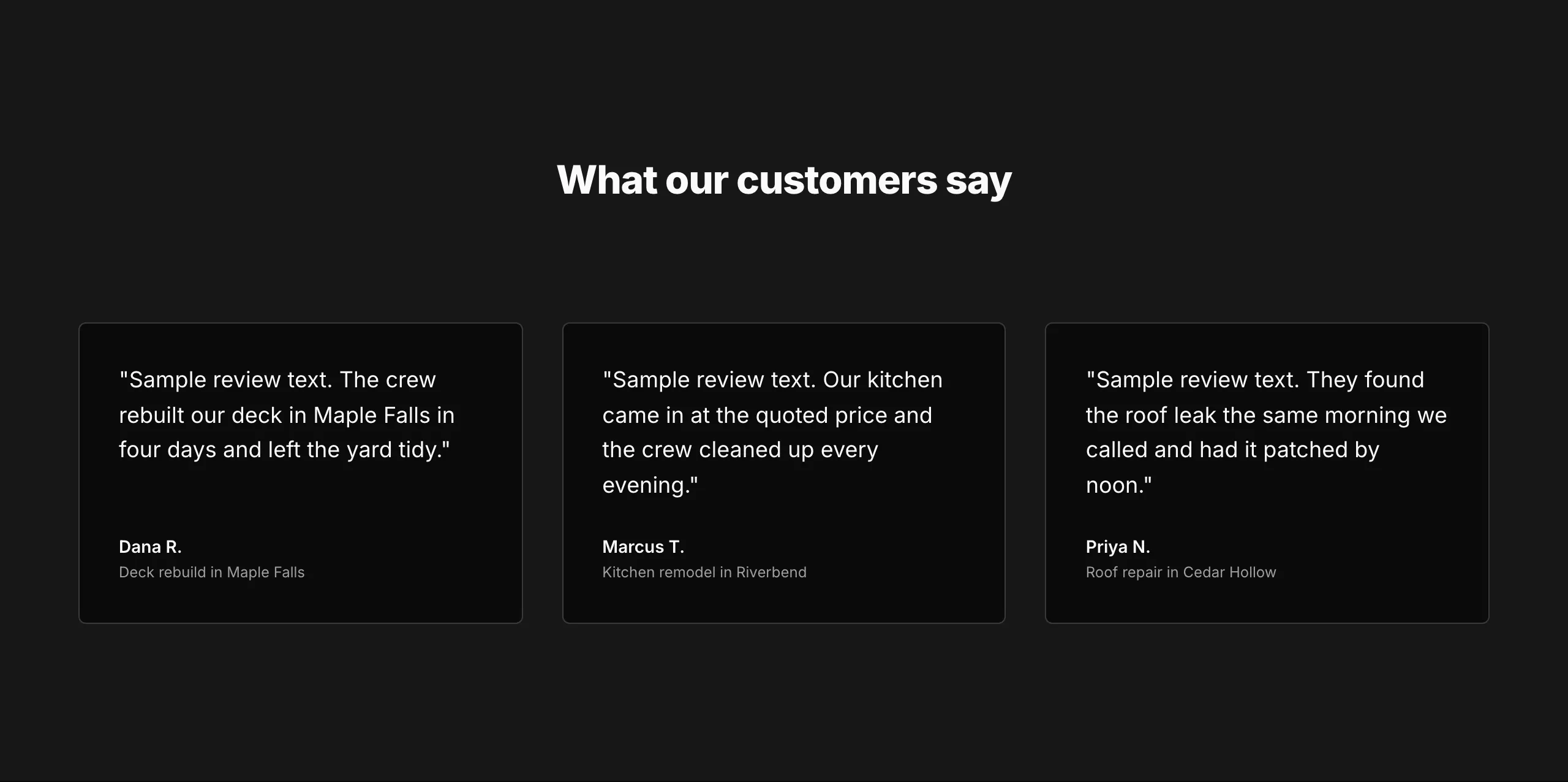
One card per published quote, three across.
Pages shows how a block is added to a page.
Choosing which quotes a block shows
Open the page, click the Testimonials block, then click the pencil.
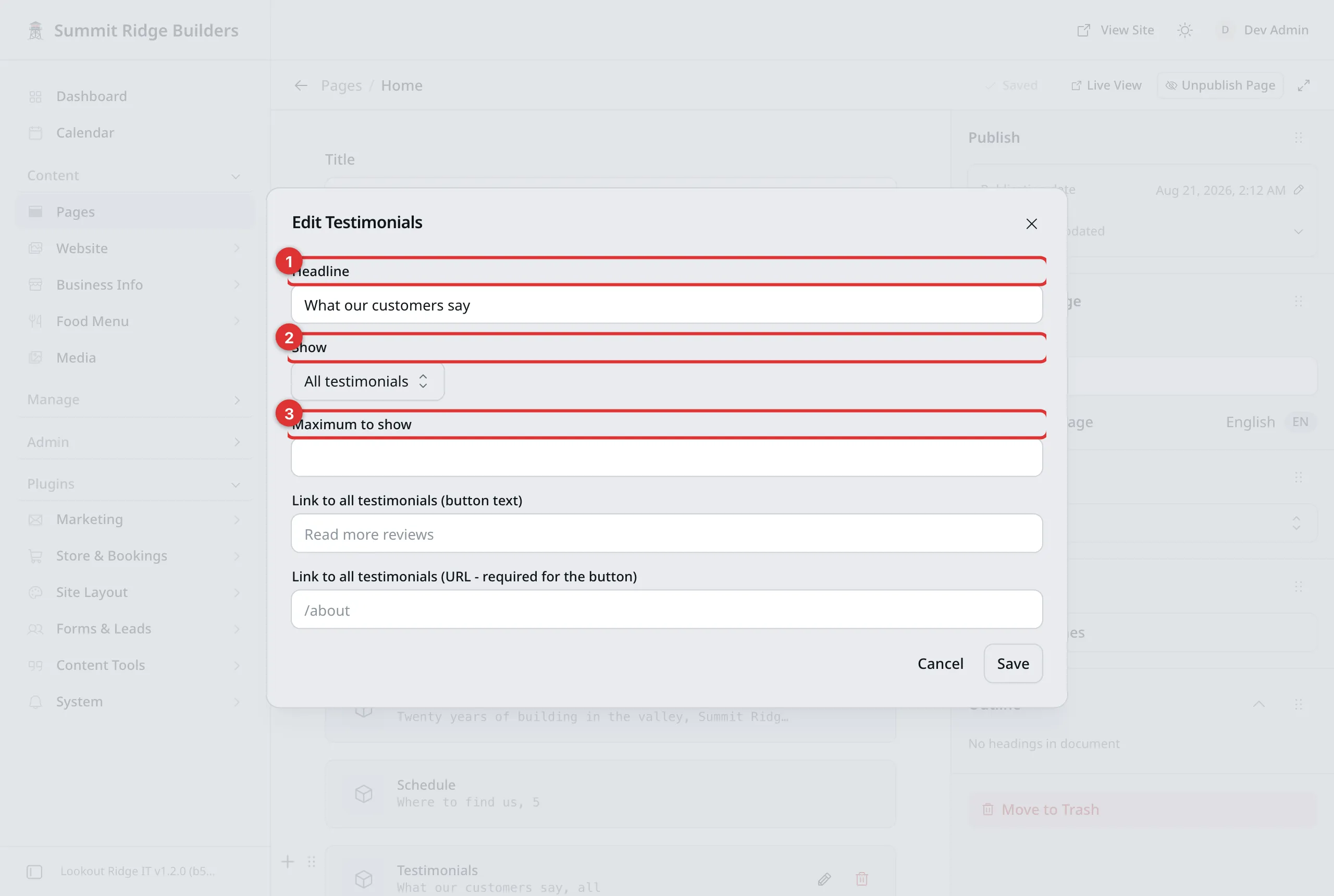
One block, its own settings.
1. Headline. The title above the cards, such as “What our customers say”.
2. Show. All testimonials shows every published one. Featured only shows just the ones with the Featured switch turned on.
3. Maximum to show. A number, such as 3. Leave it empty to show them all.
Featured and Sort order are at the bottom of a testimonial’s own form. Featured does nothing on its own. Sort order sets the order: lowest number first, empty counts as zero, and a tie falls back to A to Z by name.
Tip
Three quotes on a page beats ten. Pick your best, set Maximum to show to 3, and give the rest a higher sort order so they wait their turn.
Changing a quote
Open it and change the words. Then click Publish changes, then Publish changes again to confirm.
Every page showing that quote updates at the same time. You never have to hunt for other copies, because there are none.
If a customer asks you to change how they are named, this is the one place to do it.
Removing a quote
Warning
Both of the buttons below take the quote off your website the moment you click. It vanishes from every page that showed it.
Unpublish Testimonial hides it and keeps it. Use it when a customer asks you to take their words down for now. Publishing puts it back.
Move to Trash is for a quote you are done with. It waits in the Trash tab in case you want it back.
Saving and publishing covers both.
Before you launch
Your website came with one example testimonial. Its name starts with EXAMPLE. Replace it with a real one, or click Move to Trash.
Last updated Oct 20, 2026