
Step 3: Choose your colors
Every color palette your website can wear, light and dark, side by side. Pick by looking. Also called the theme, the color scheme, or the look.
Your website can wear any one of eighteen color palettes. Each one changes every page at once: the colors, the shape of the buttons, how much the cards lift off the page.
This page shows them in light and in dark, on the same page of a made-up builder’s website. Scroll and pick by looking. Nothing here needs a click.
The two choices
You choose your colors on the Appearance page, under Palette. Each palette is a matched set. Its card shows its name, its two main colors, and a row of small color swatches for light and for dark. Ember Trail, for example, reads ember and amber.
The card marked Host default is the palette we set when we built your site.
Under the palettes is Color mode. Light gives you dark words on a pale background. Dark does the reverse. Every visitor gets the one you pick. There is no switch on your website for them to change it.
Other words people use for the same thing: theme, color scheme, palette, look and feel, design, skin, dark mode, light mode, night mode.
How to change it
Important
New colors reach every page of your website at once. Most of your site follows them on its own. A few parts we styled by hand may not. If something looks wrong, pick your old palette again and everything goes back, then tell us which one you wanted.
Only an Admin user can change the colors. It takes about a minute.
- Write down the palette you are on now. Its card is the one picked.
- Go to Plugins, then Appearance. It sits in the Site Layout group.
- Under Palette, click the card you want.
- Under Color mode, click Light or Dark.
- Click Preview at the bottom. Your website opens in a new tab with your new colors. Only you can see them.
- Happy with it? Go back to the panel tab and click Apply.
A message says the look is saved. Visitors see the new colors the next time a page loads.
Changed your mind before you clicked Apply? Click Discard. Want the palette we set back? Click Use host default above the palette cards, then click Apply.
The same page also sets your style, your fonts and more. Appearance covers all of it.
Dark mode and your logo
Switching to Dark? A dark logo can vanish on a dark background. Logo tint, on the same page, can repaint your logo to match. It does not suit every logo. Logo tint explains when to use it.
The eighteen palettes
Each pair below is the same sample page. Light on the left, dark on the right. The pictures all use one style. Your site’s style may lay the page out differently, but the colors are the same.
Default
Indigo and pink. The first palette in the list.
Light
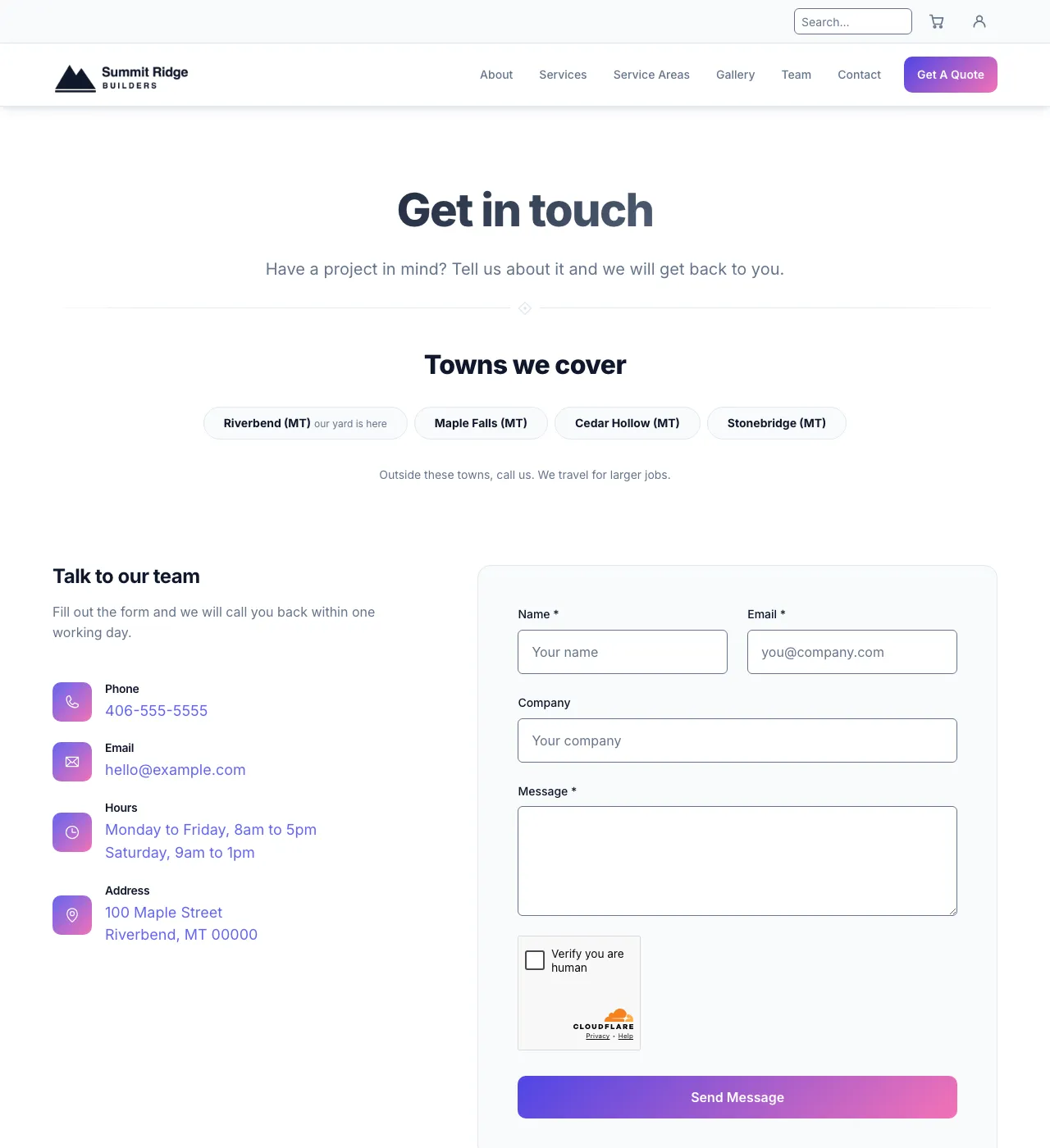
Default, light.
Dark
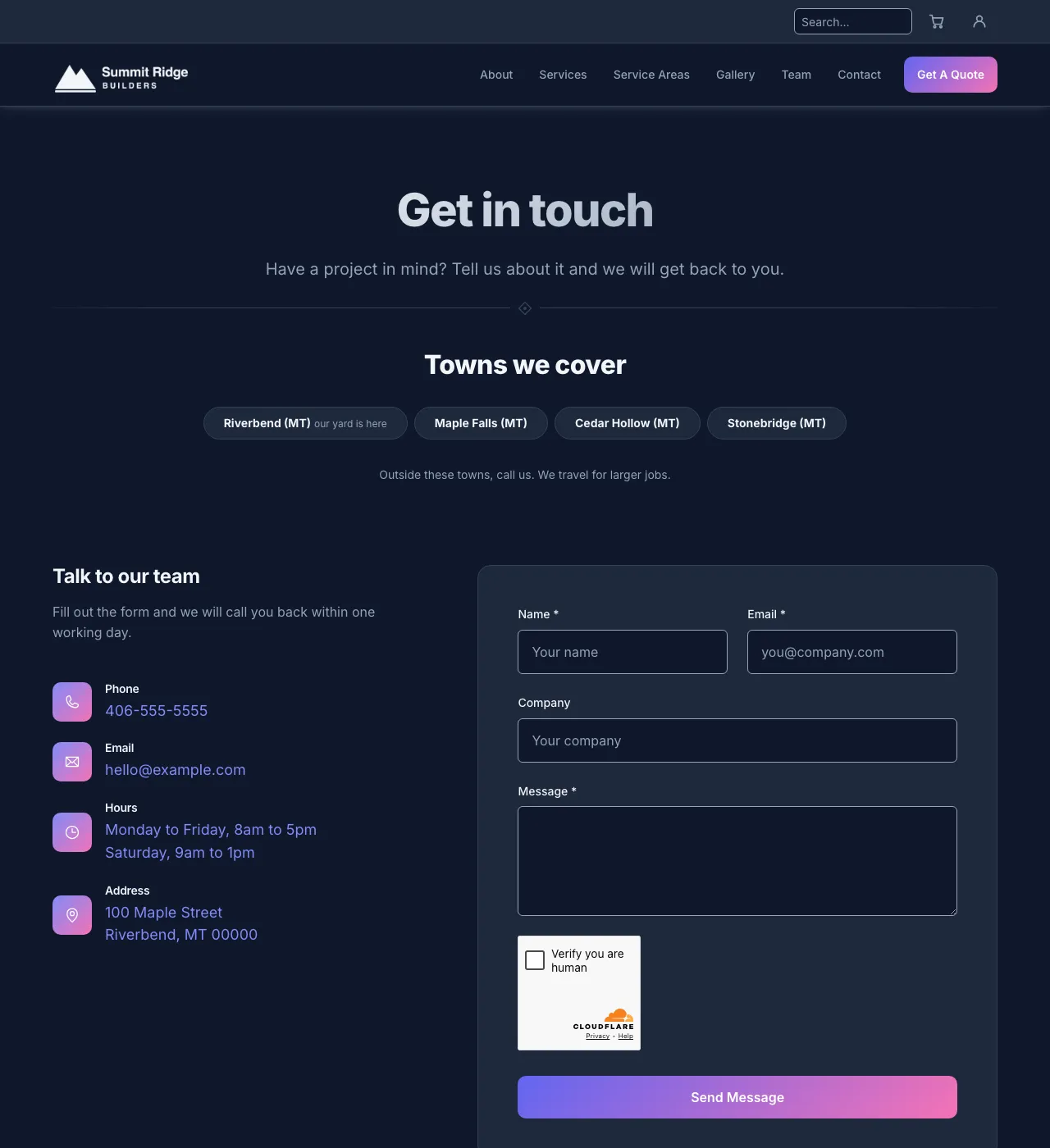
Default, dark.
Earth
Forest green and moss. Warm, natural tones.
Light
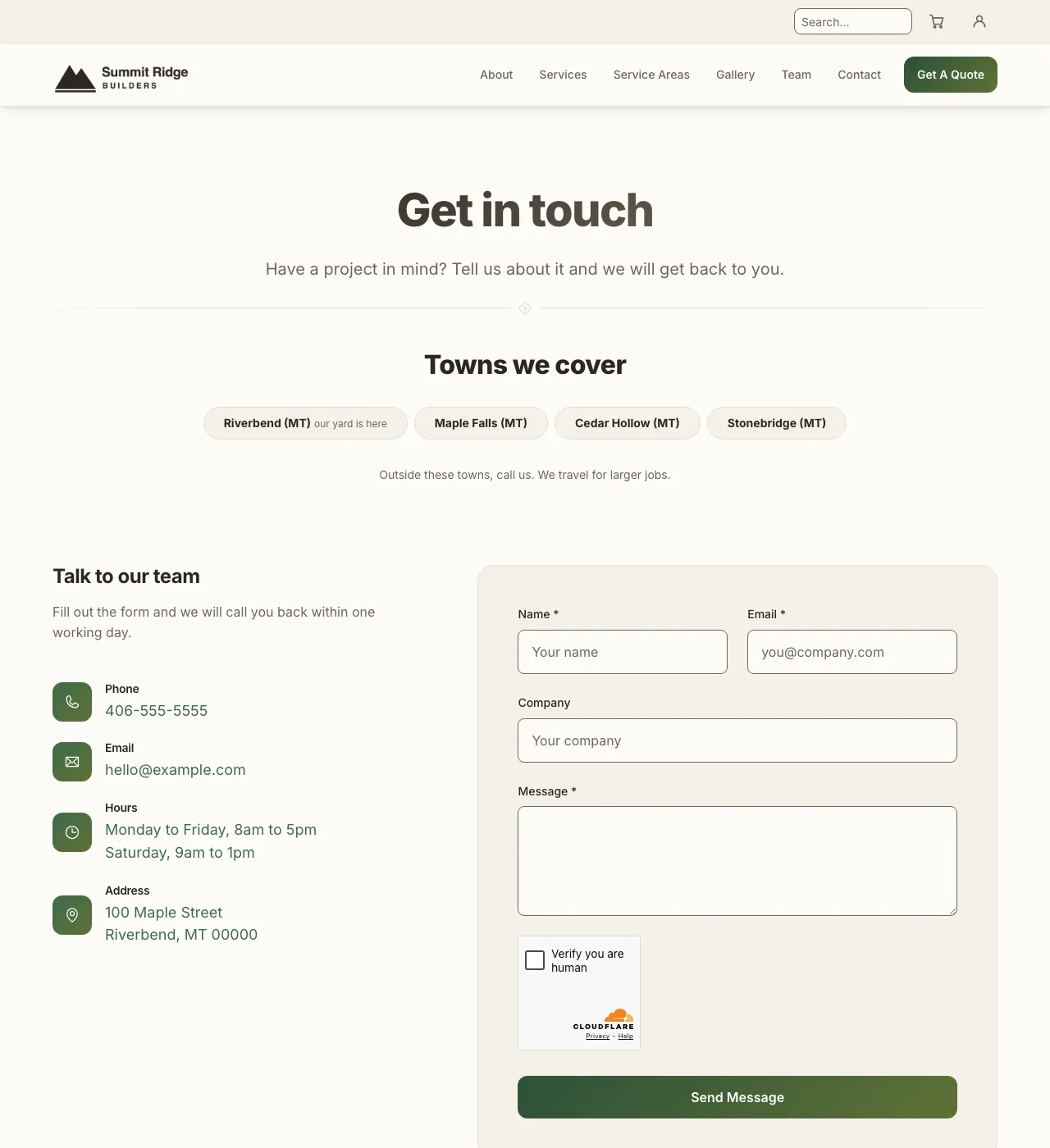
Earth, light.
Dark
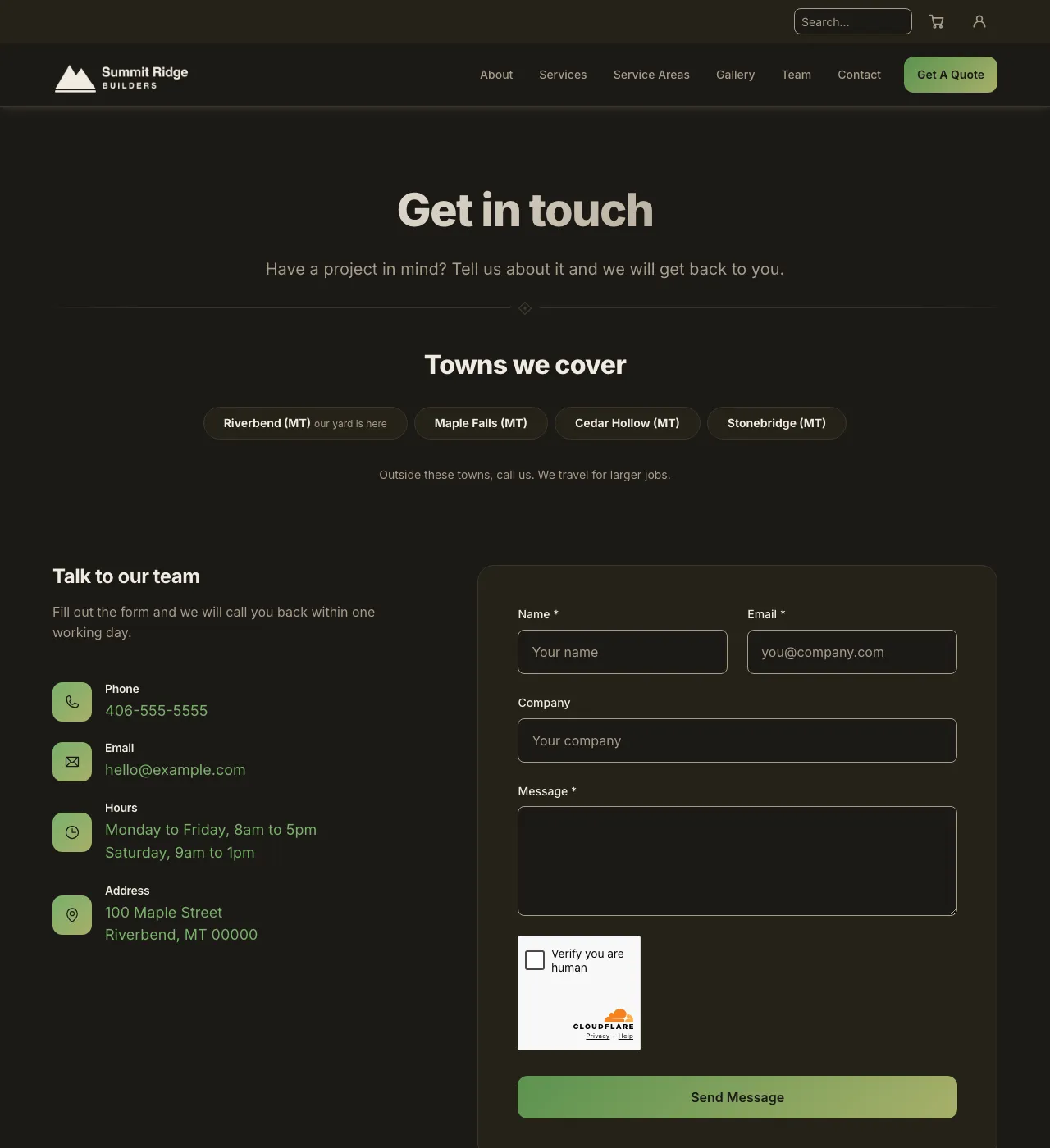
Earth, dark.
Blue
Ocean blue and cyan. Cool and clean.
Light
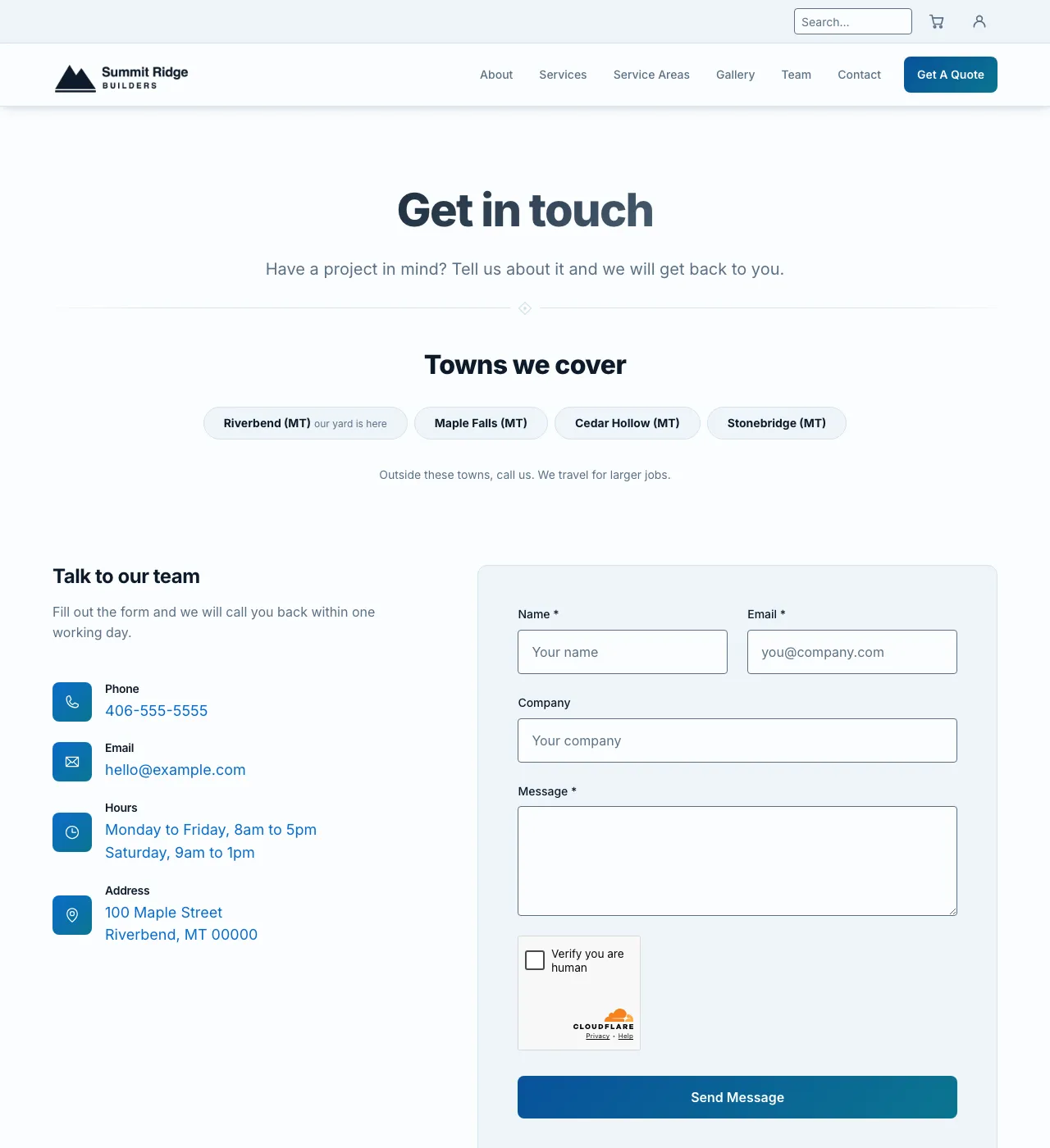
Blue, light.
Dark
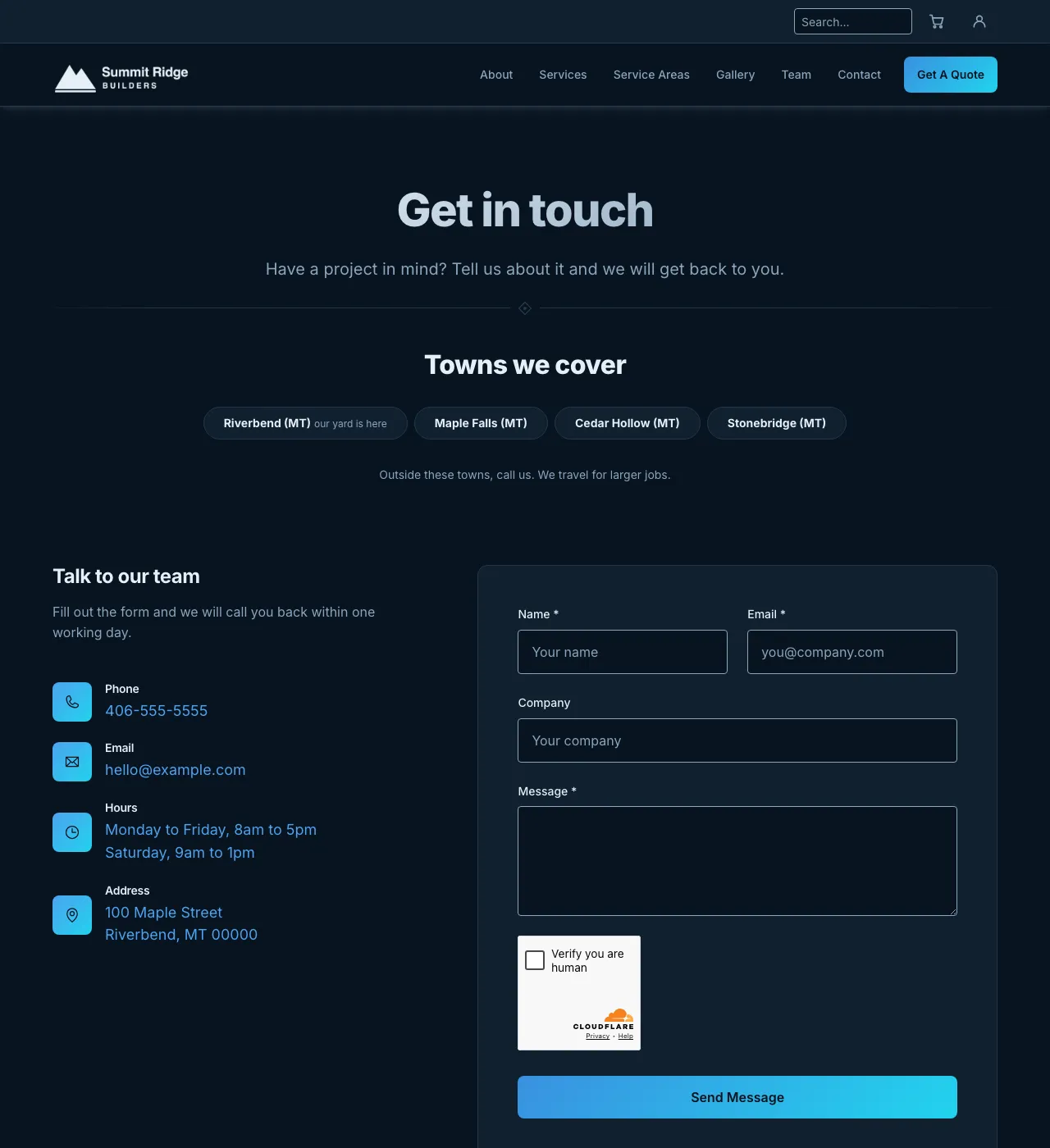
Blue, dark.
Ember Trail
Ember orange and amber on near black. Sharp corners.
Light
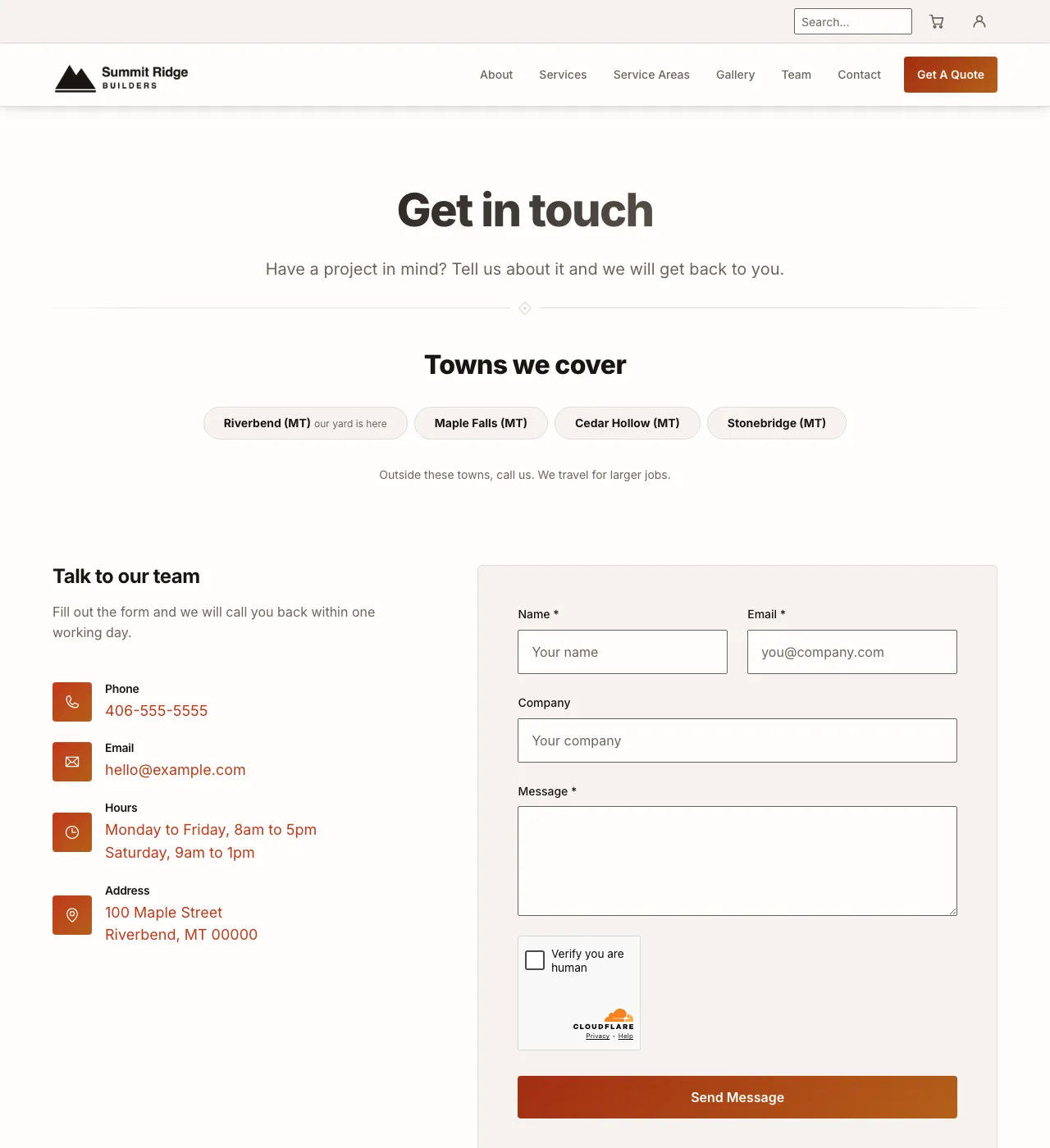
Ember Trail, light.
Dark
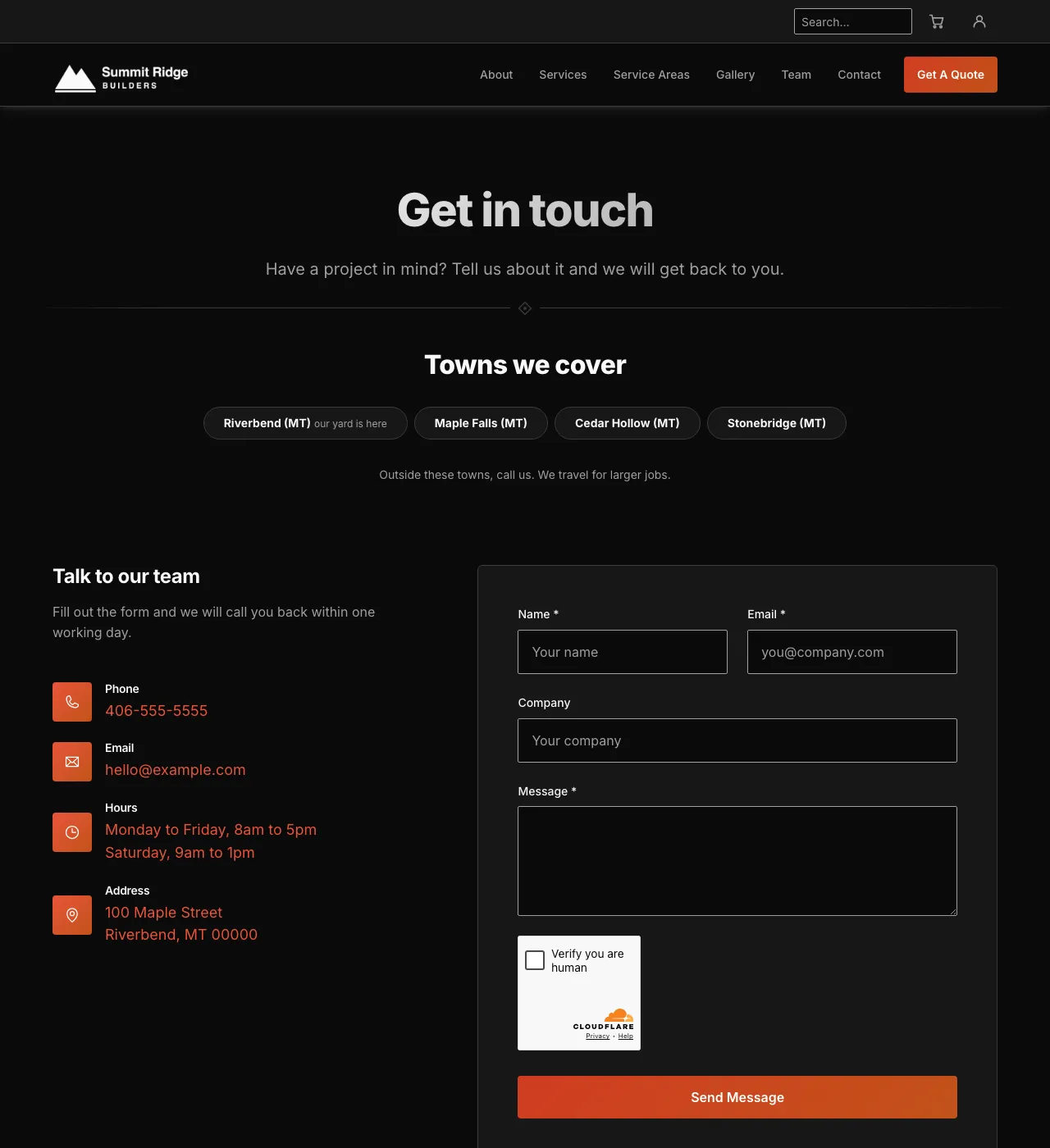
Ember Trail, dark.
Pine Hollow
Pine green and teal. Rounded, pill-shaped buttons.
Light
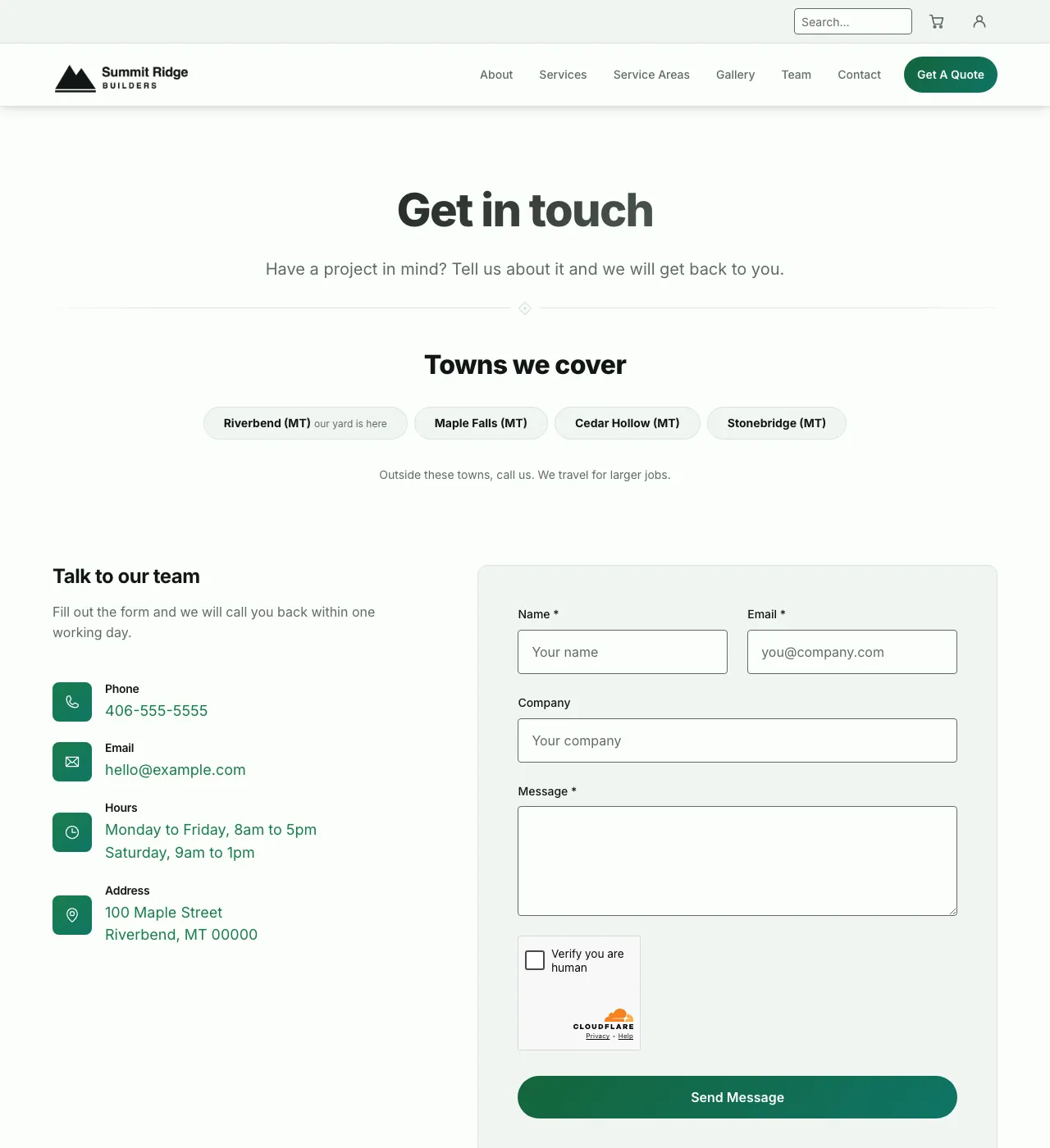
Pine Hollow, light.
Dark
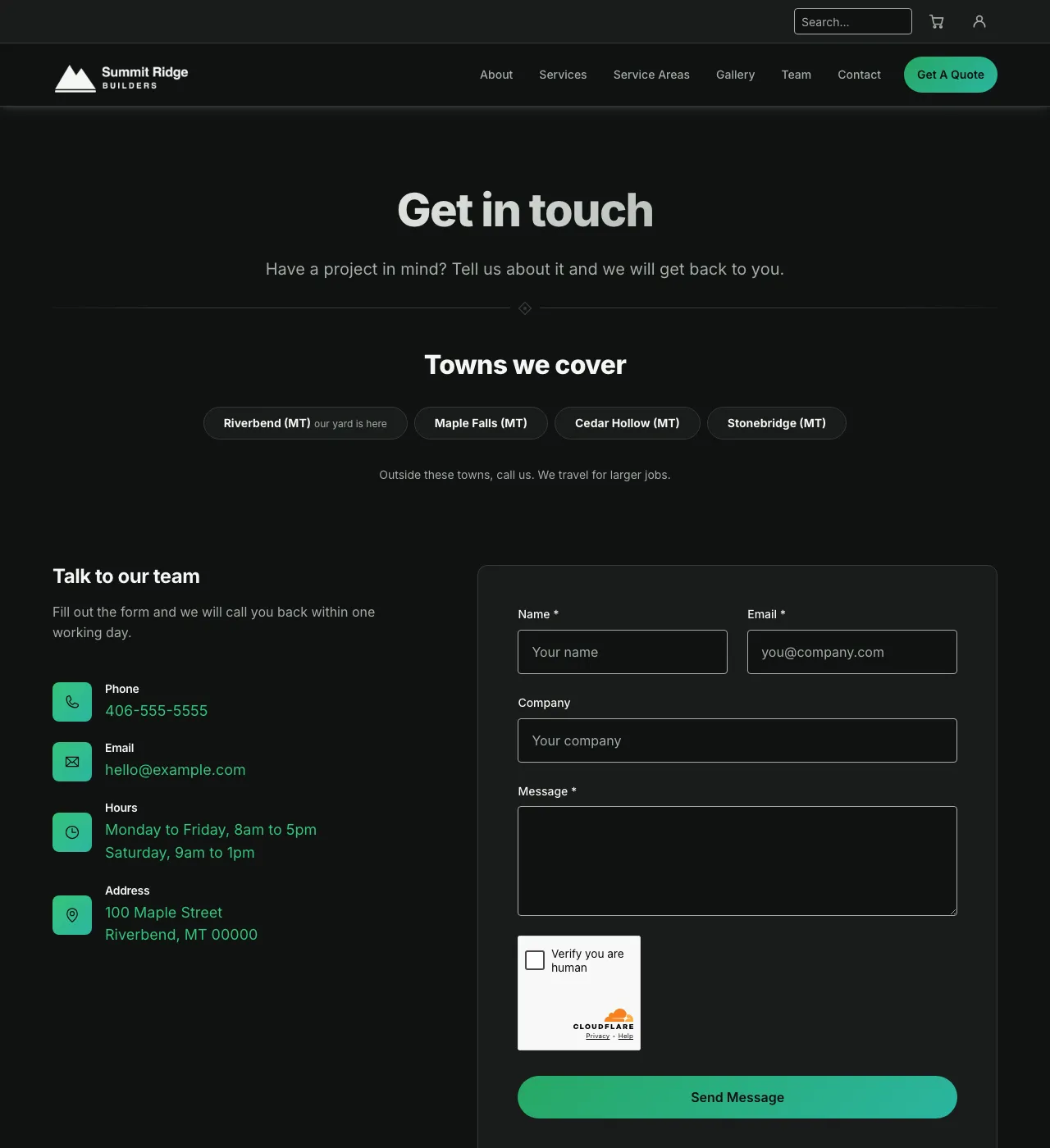
Pine Hollow, dark.
River Bend
Azure and sky blue on a soft gray canvas.
Light
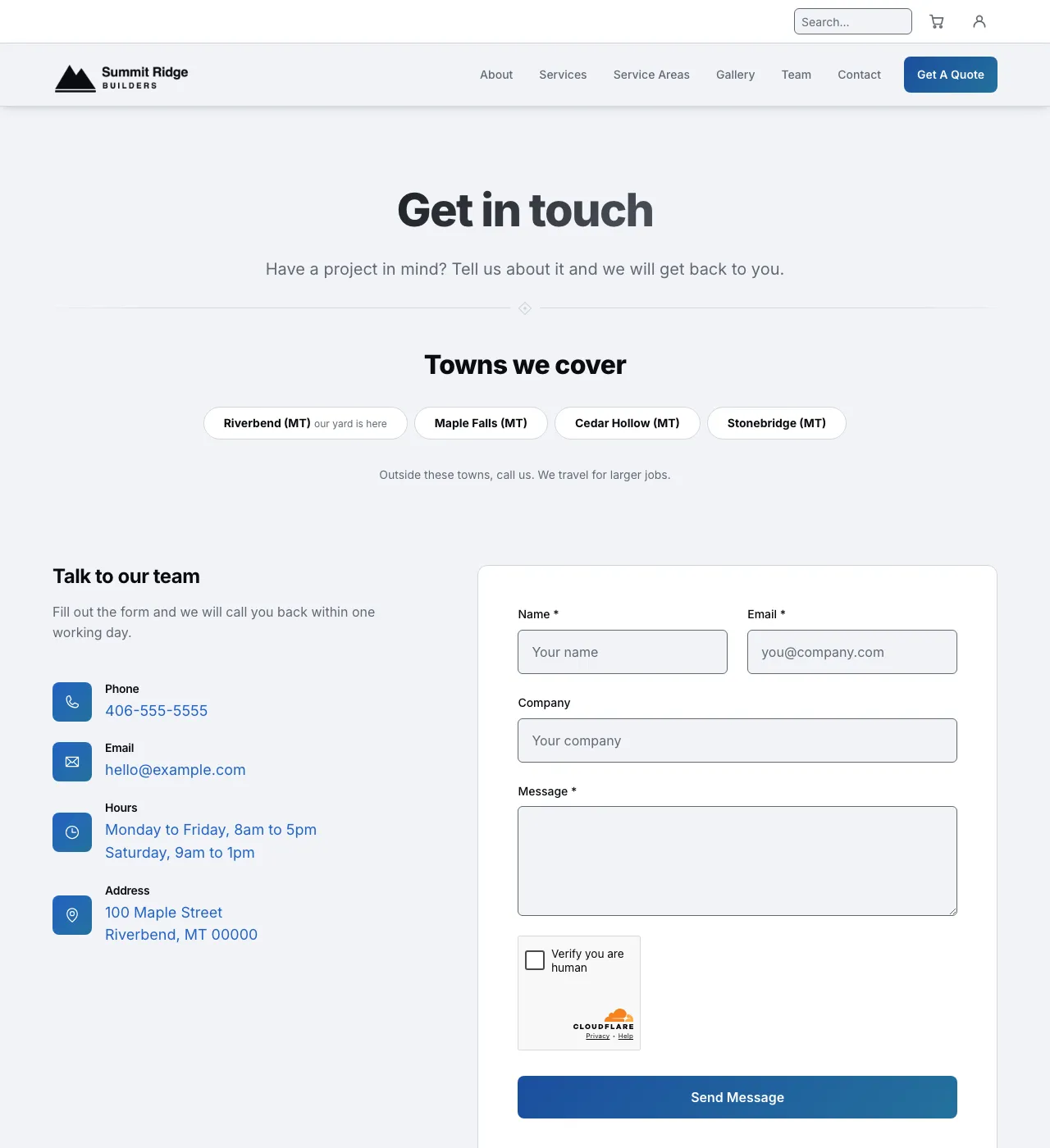
River Bend, light.
Dark
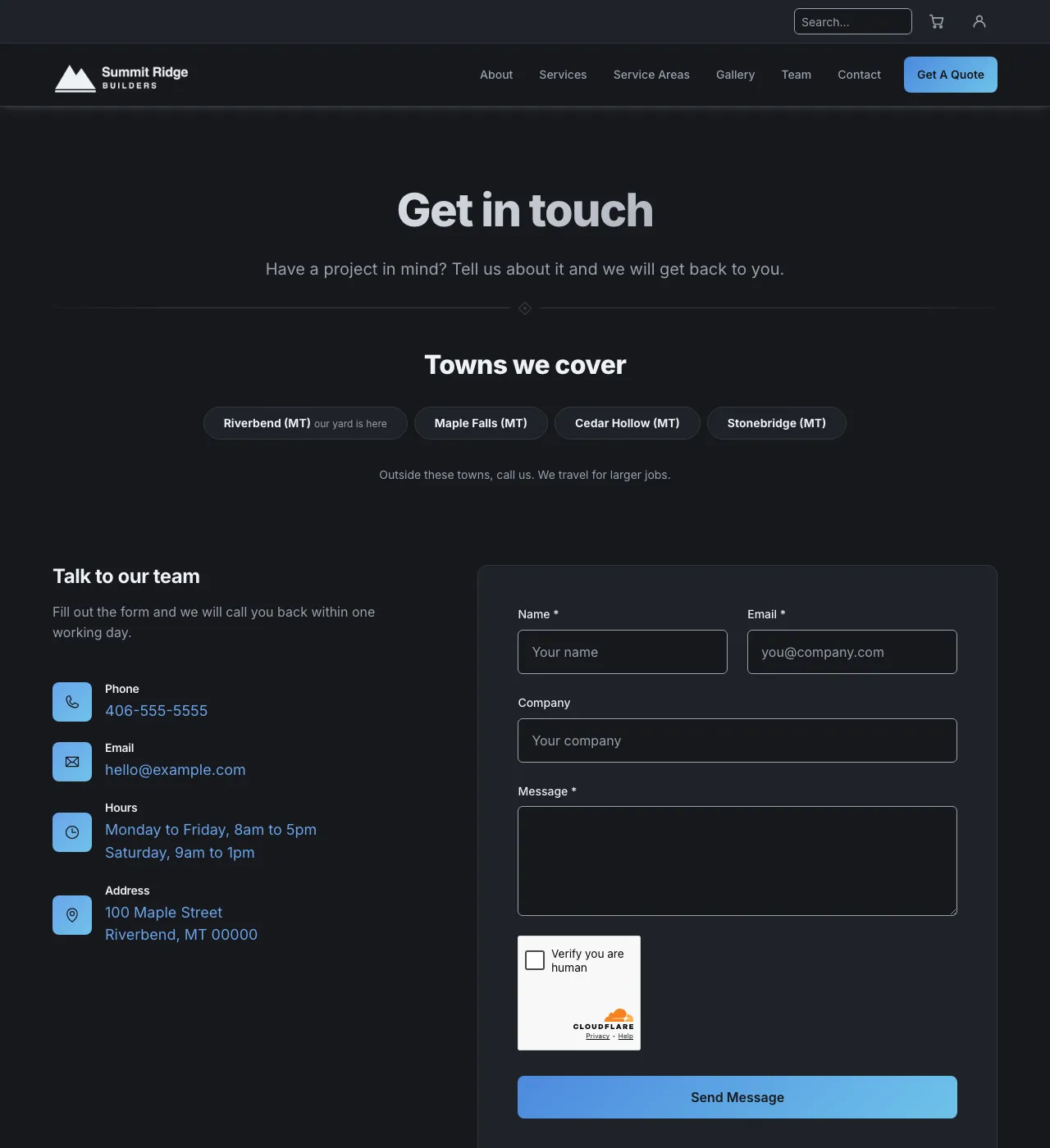
River Bend, dark.
Summit Ridge
Crimson and alpine blue. Big rounded corners and pill buttons.
Light
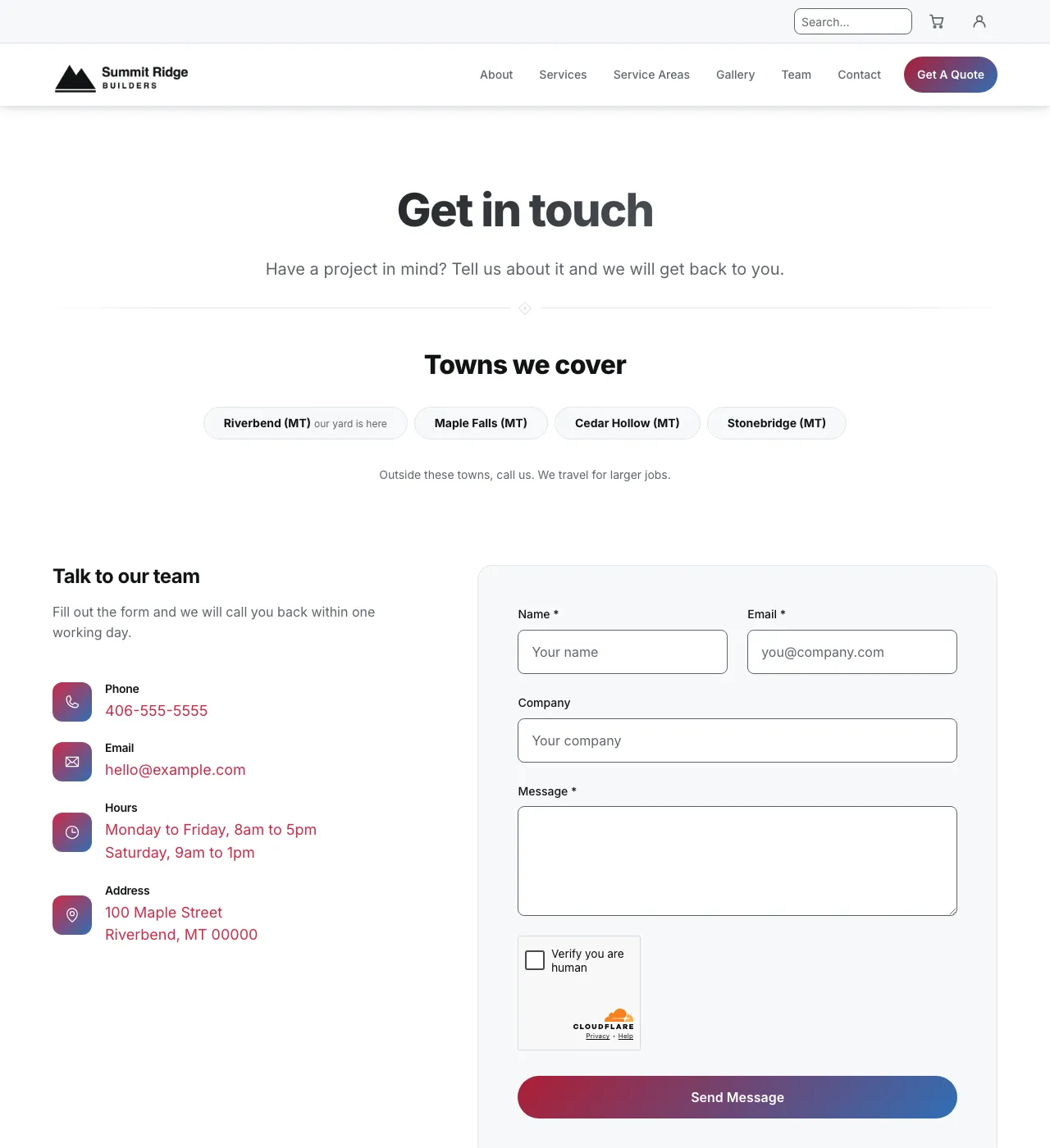
Summit Ridge, light.
Dark
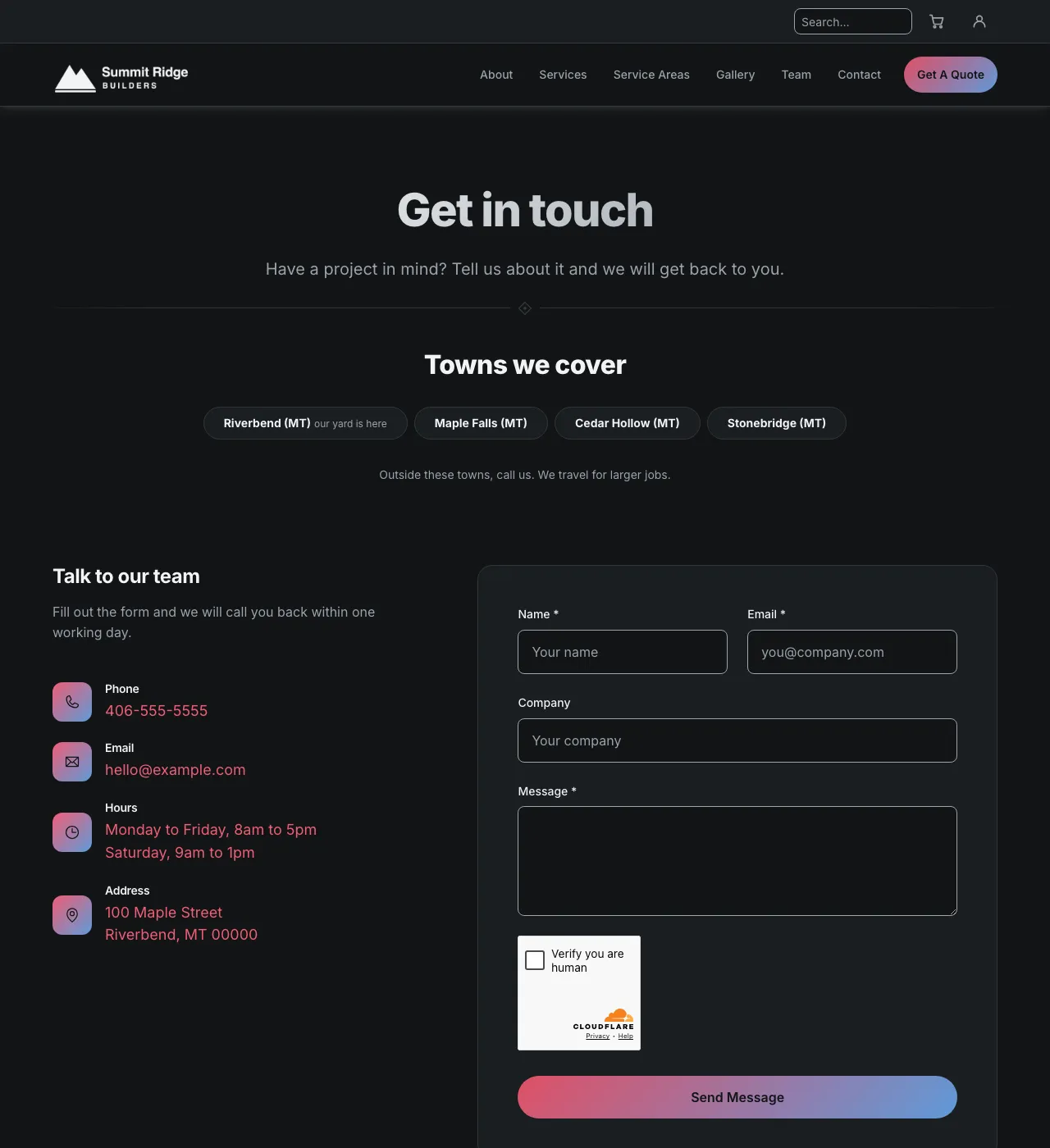
Summit Ridge, dark.
Meadow Pass
Coral and plum on warm white. Cards that lift off the page.
Light
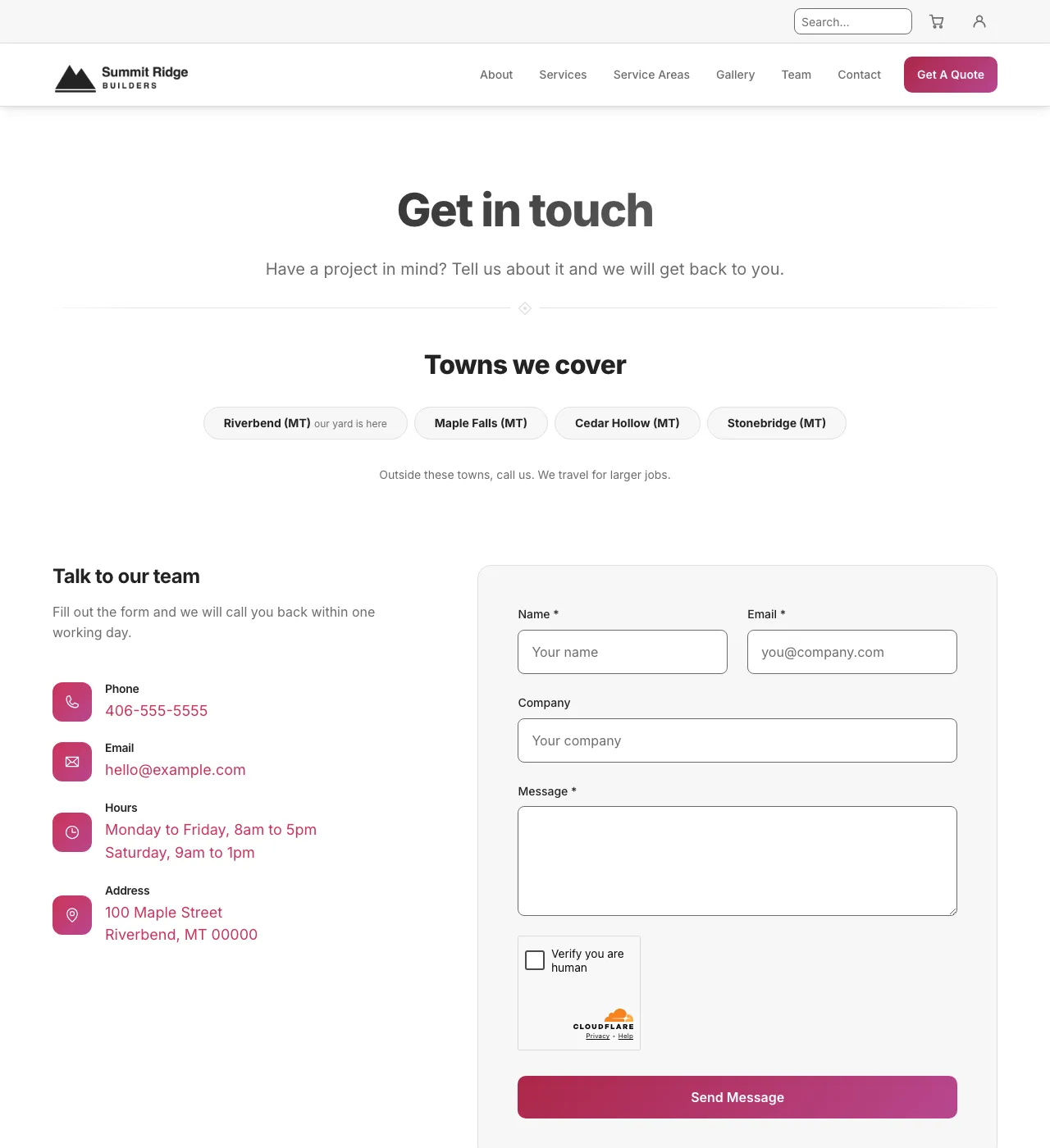
Meadow Pass, light.
Dark
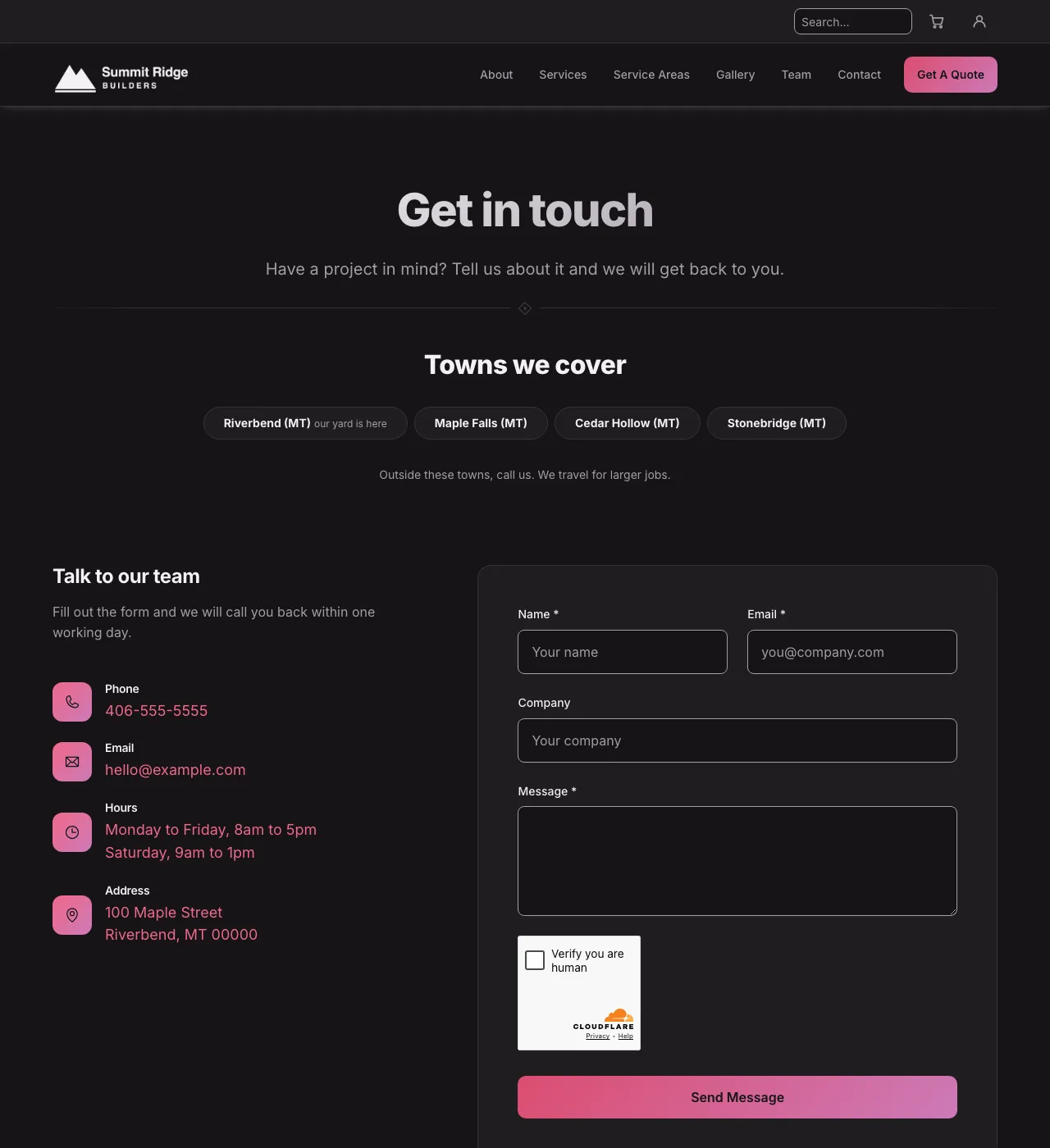
Meadow Pass, dark.
Cedar Brook
Blue and green, with a soft tinted shadow.
Light
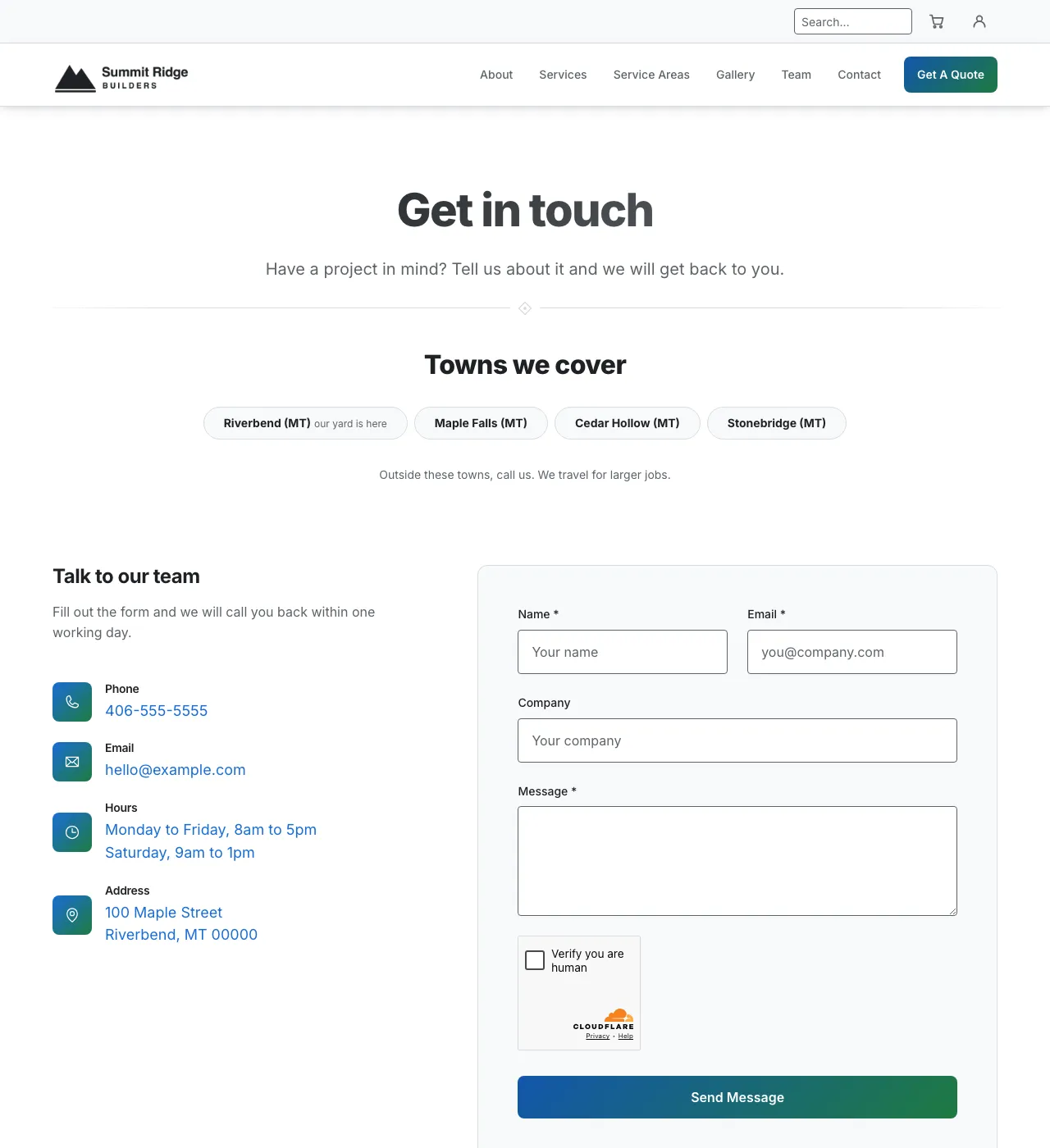
Cedar Brook, light.
Dark
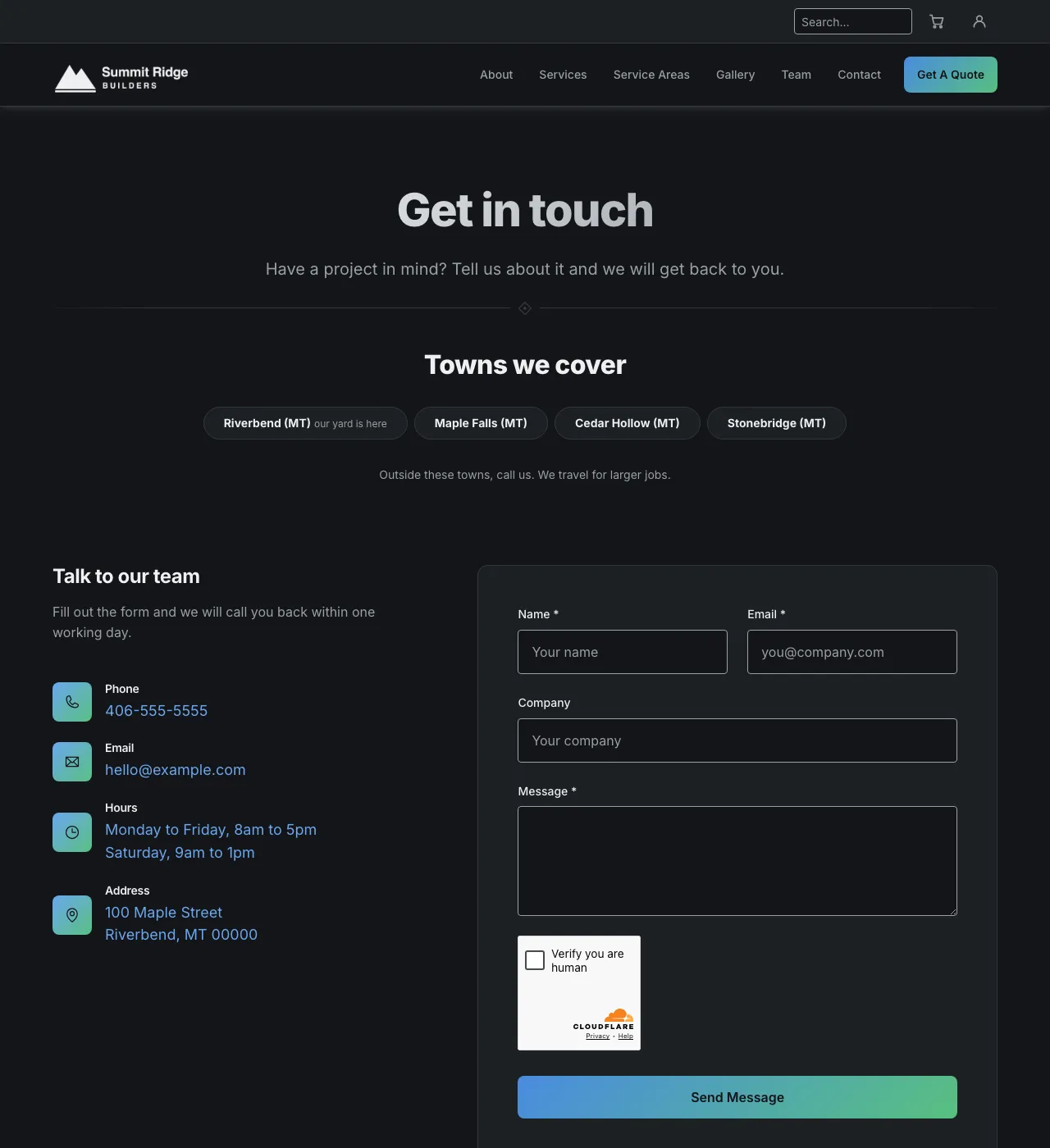
Cedar Brook, dark.
Tide Pool
Deep teal and sea green. Nearly flat and very calm.
Light
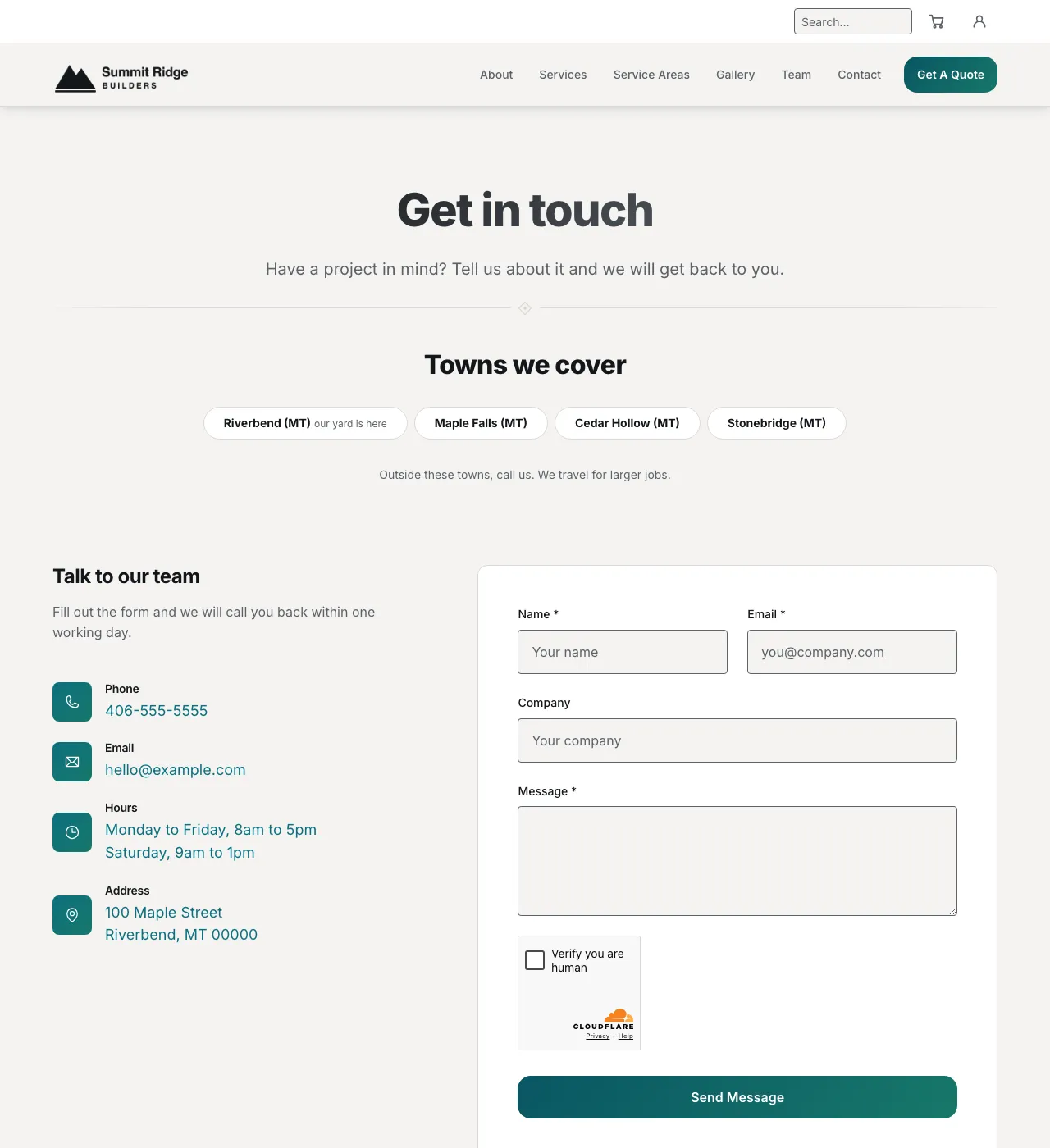
Tide Pool, light.
Dark
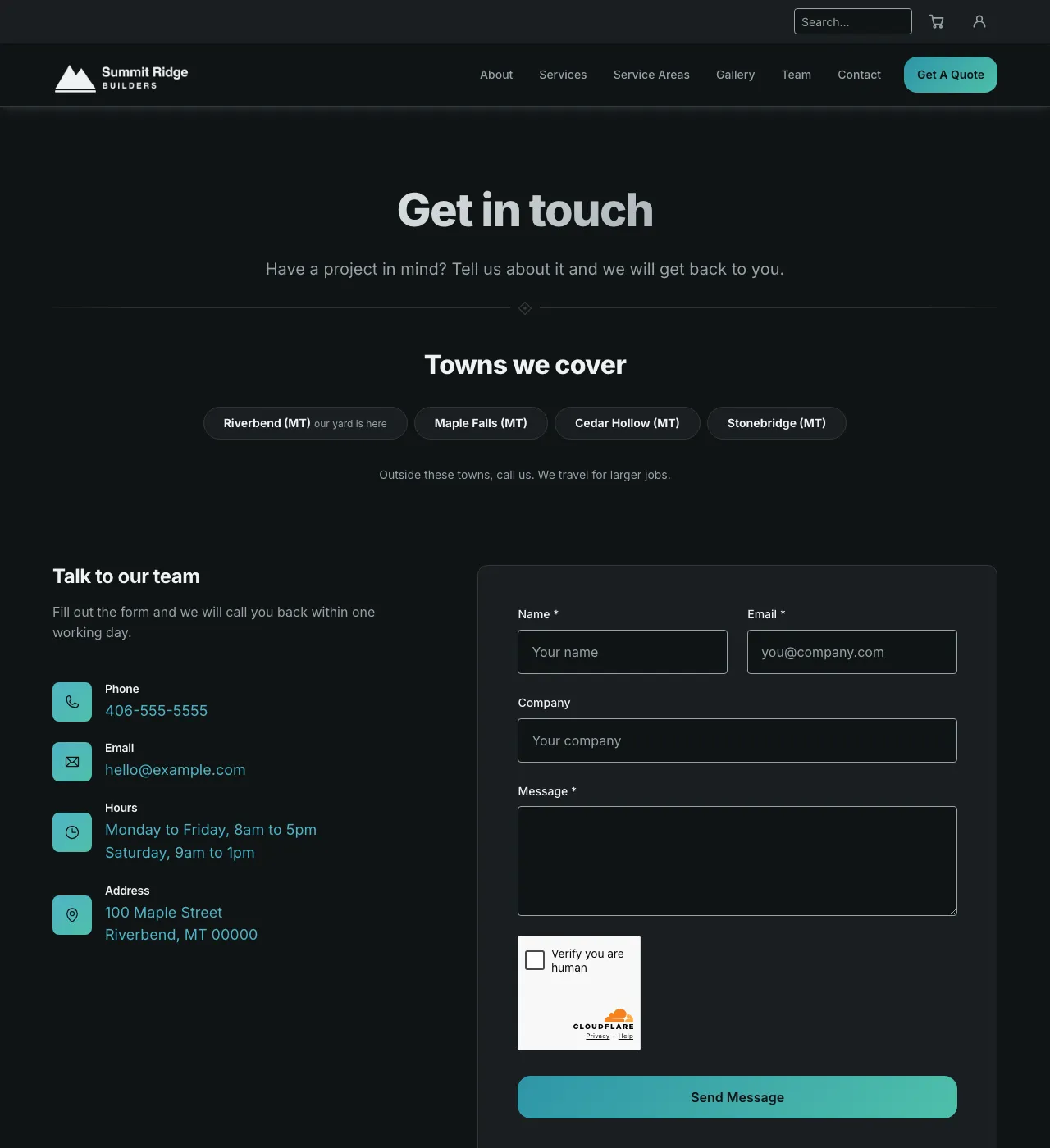
Tide Pool, dark.
Amber Harvest
Olive and honey gold.
Light
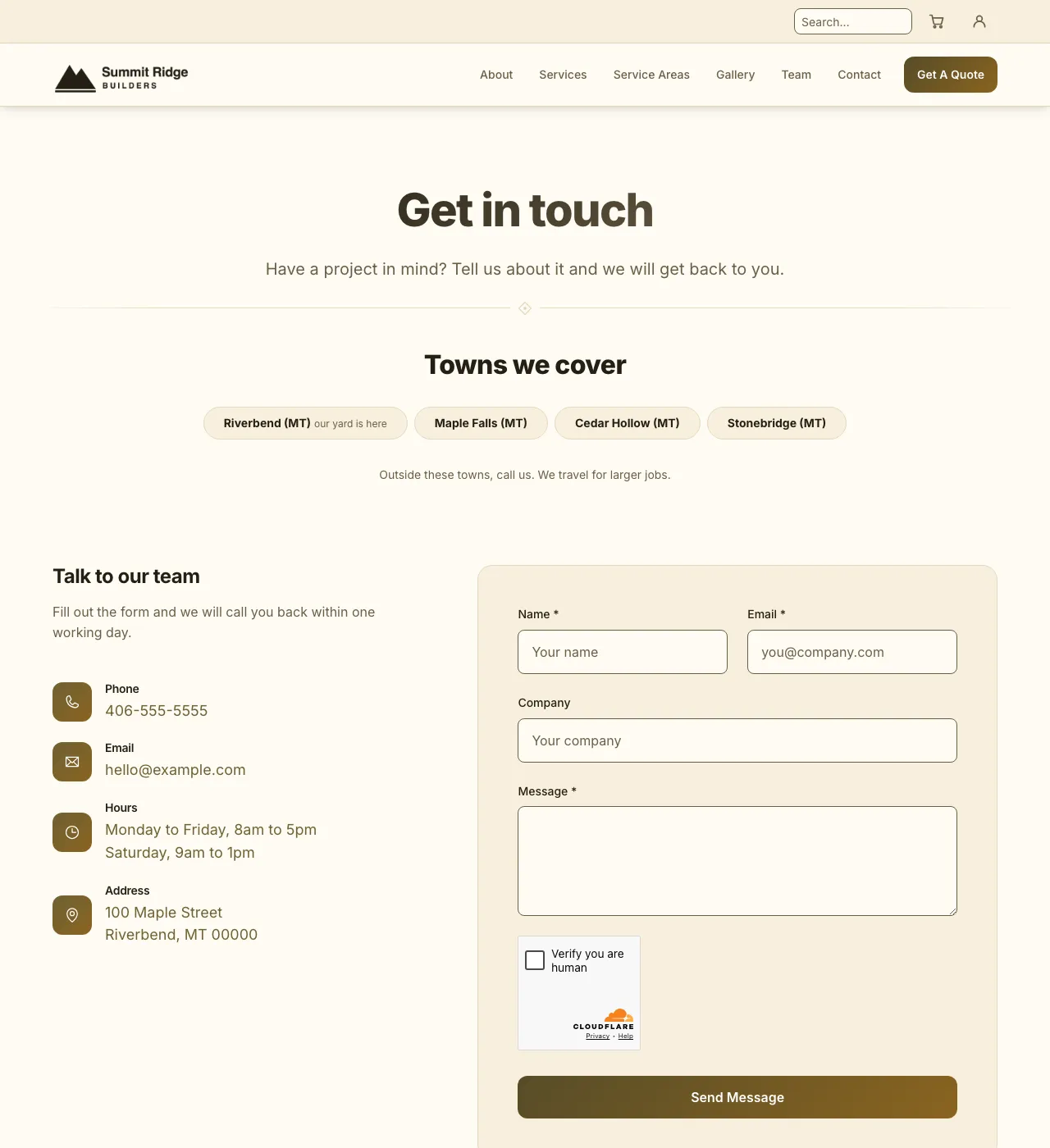
Amber Harvest, light.
Dark
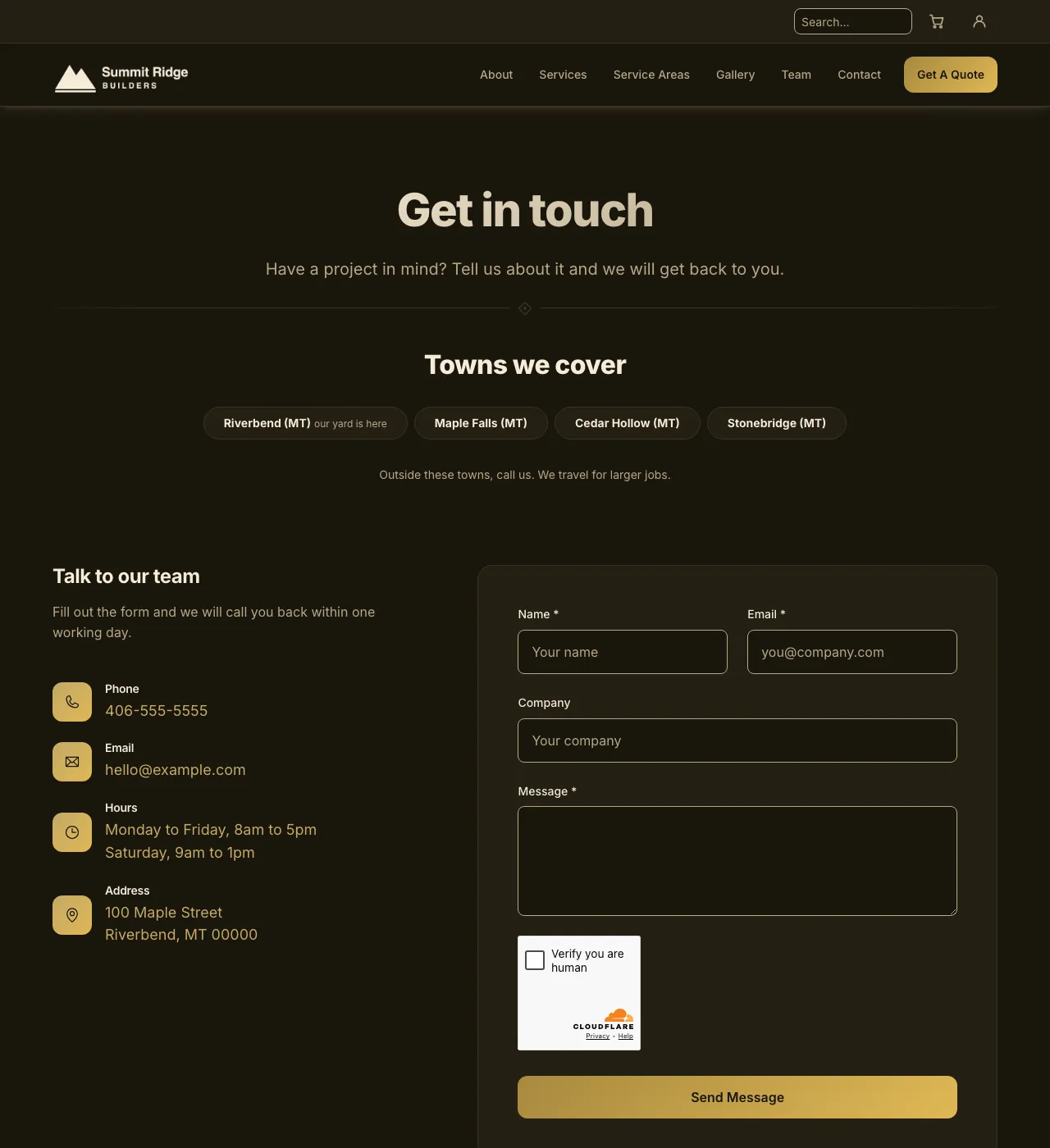
Amber Harvest, dark.
Sunflower Field
Olive and bright gold.
Light
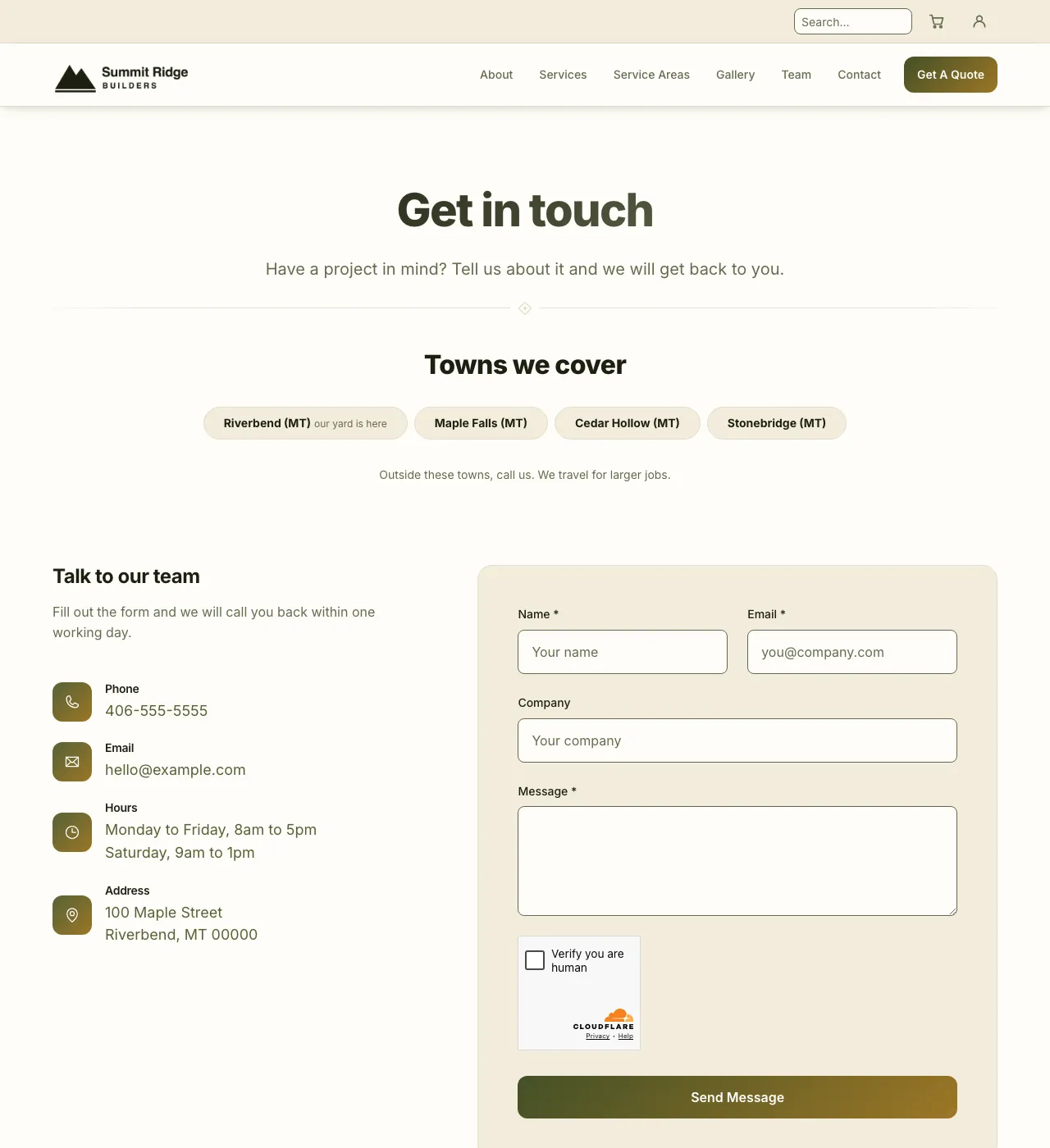
Sunflower Field, light.
Dark
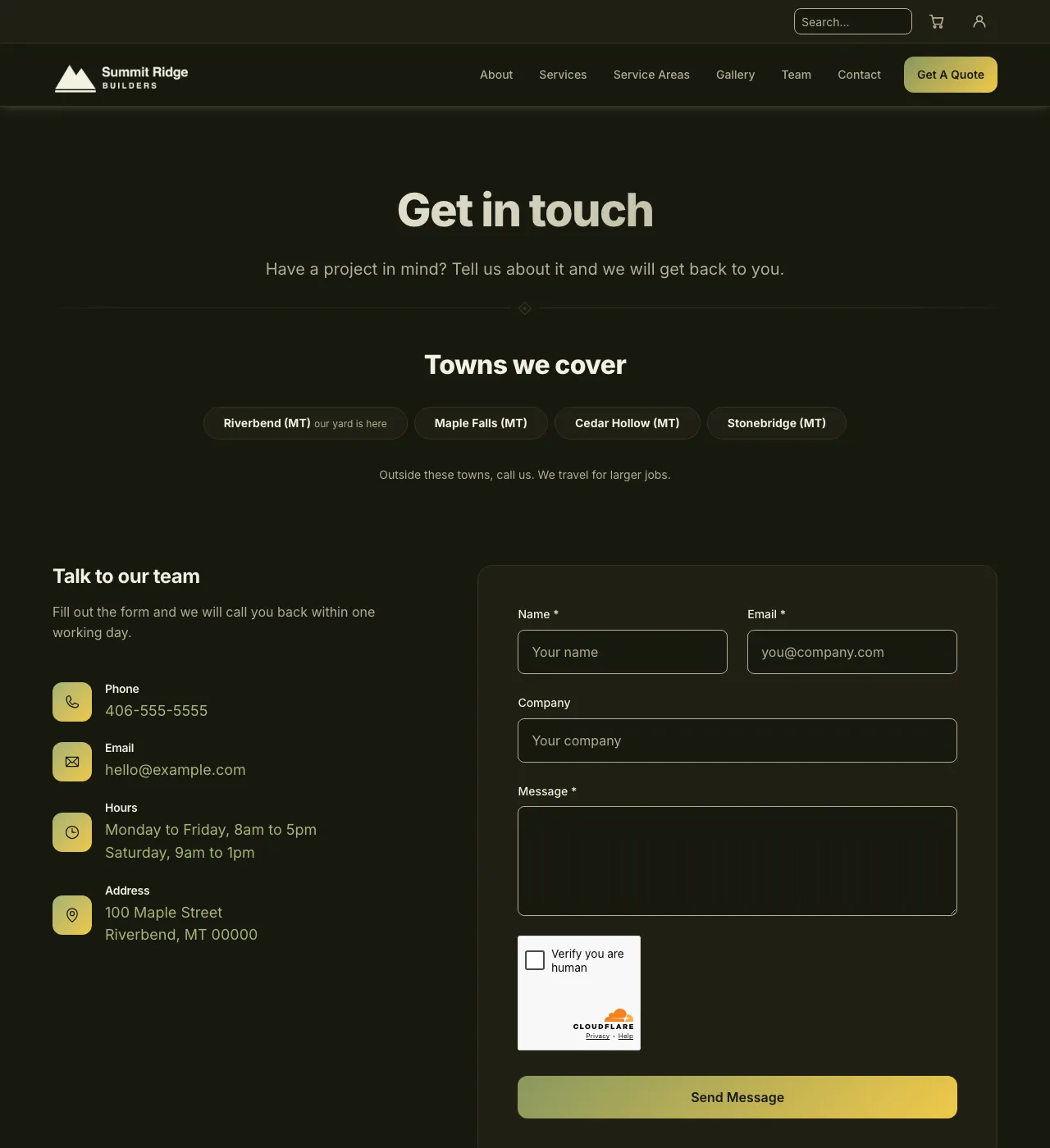
Sunflower Field, dark.
Autumn Sage
Brown and terracotta. No gradients, just solid color.
Light
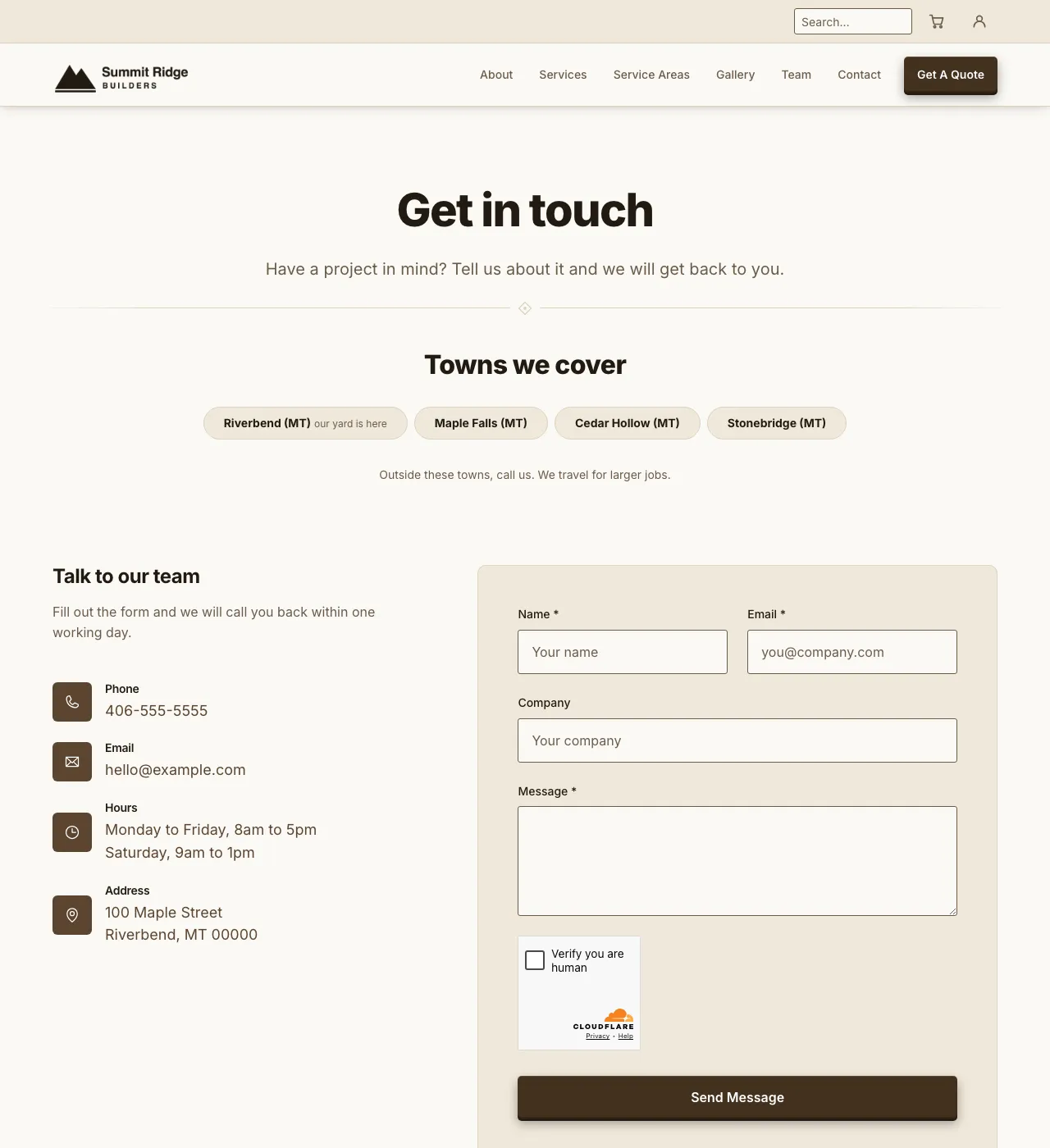
Autumn Sage, light.
Dark
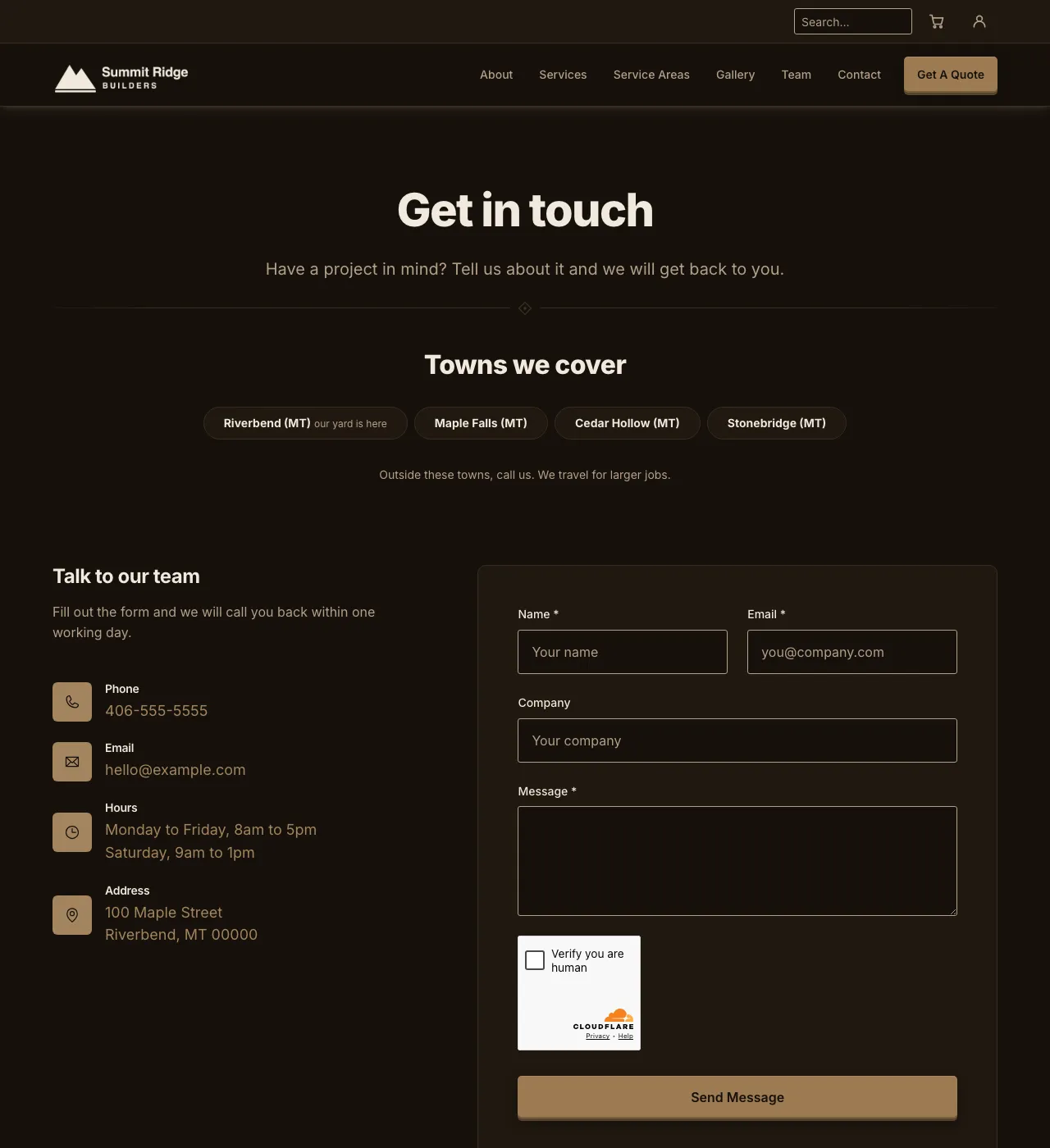
Autumn Sage, dark.
Harbor Dawn
Navy and warm cream.
Light
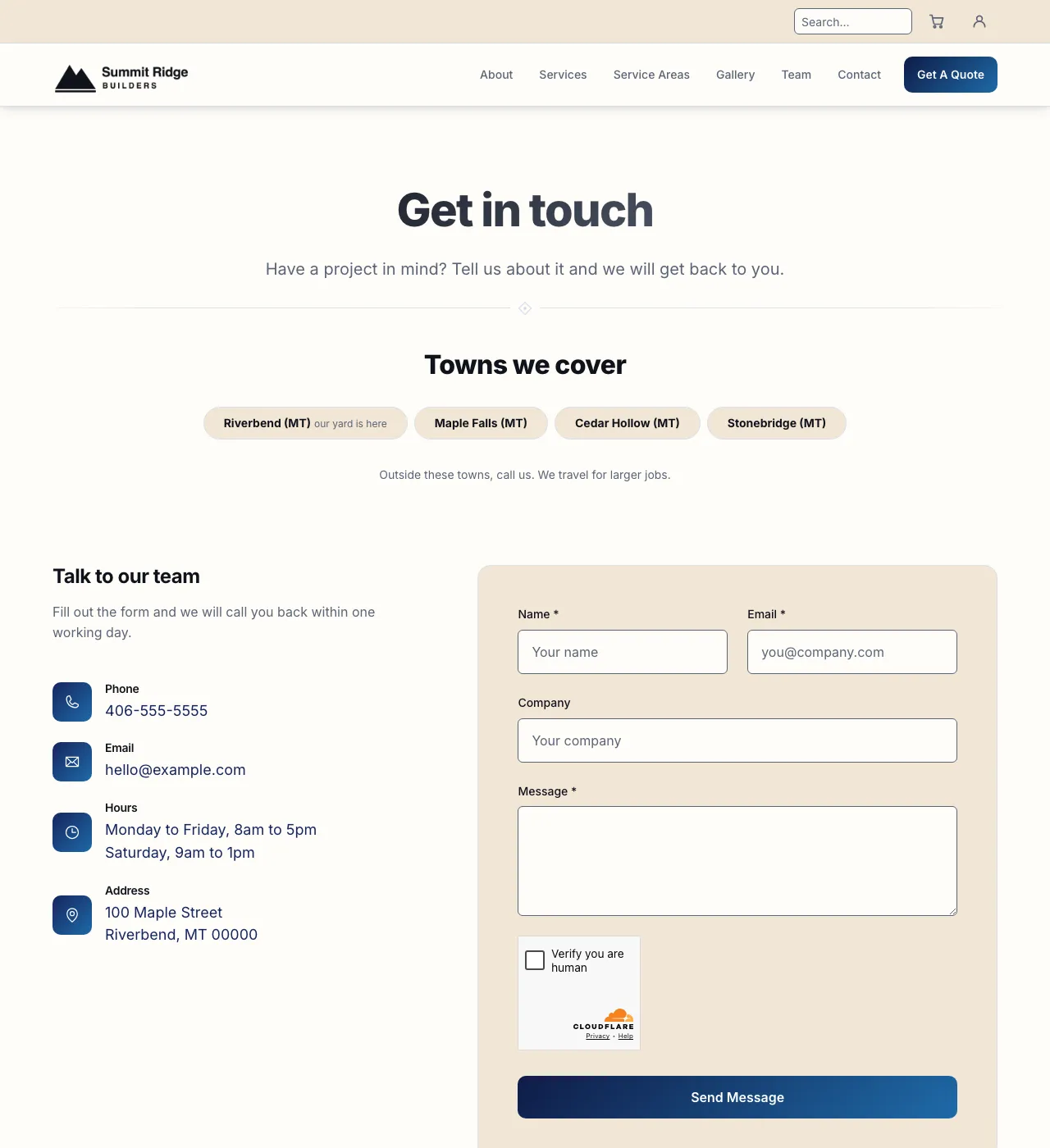
Harbor Dawn, light.
Dark
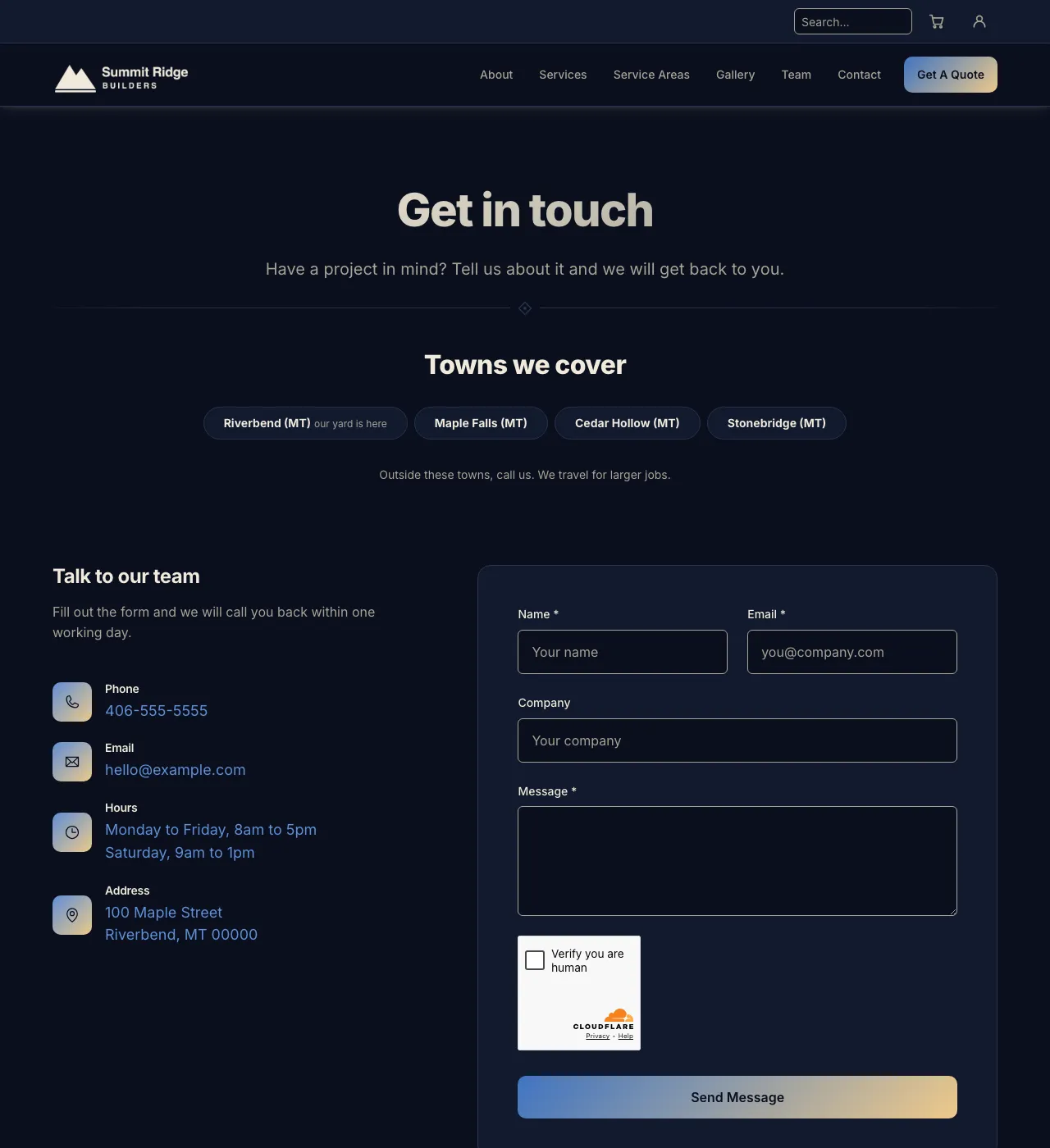
Harbor Dawn, dark.
Trailhead
Burnt orange and dusty blue.
Light
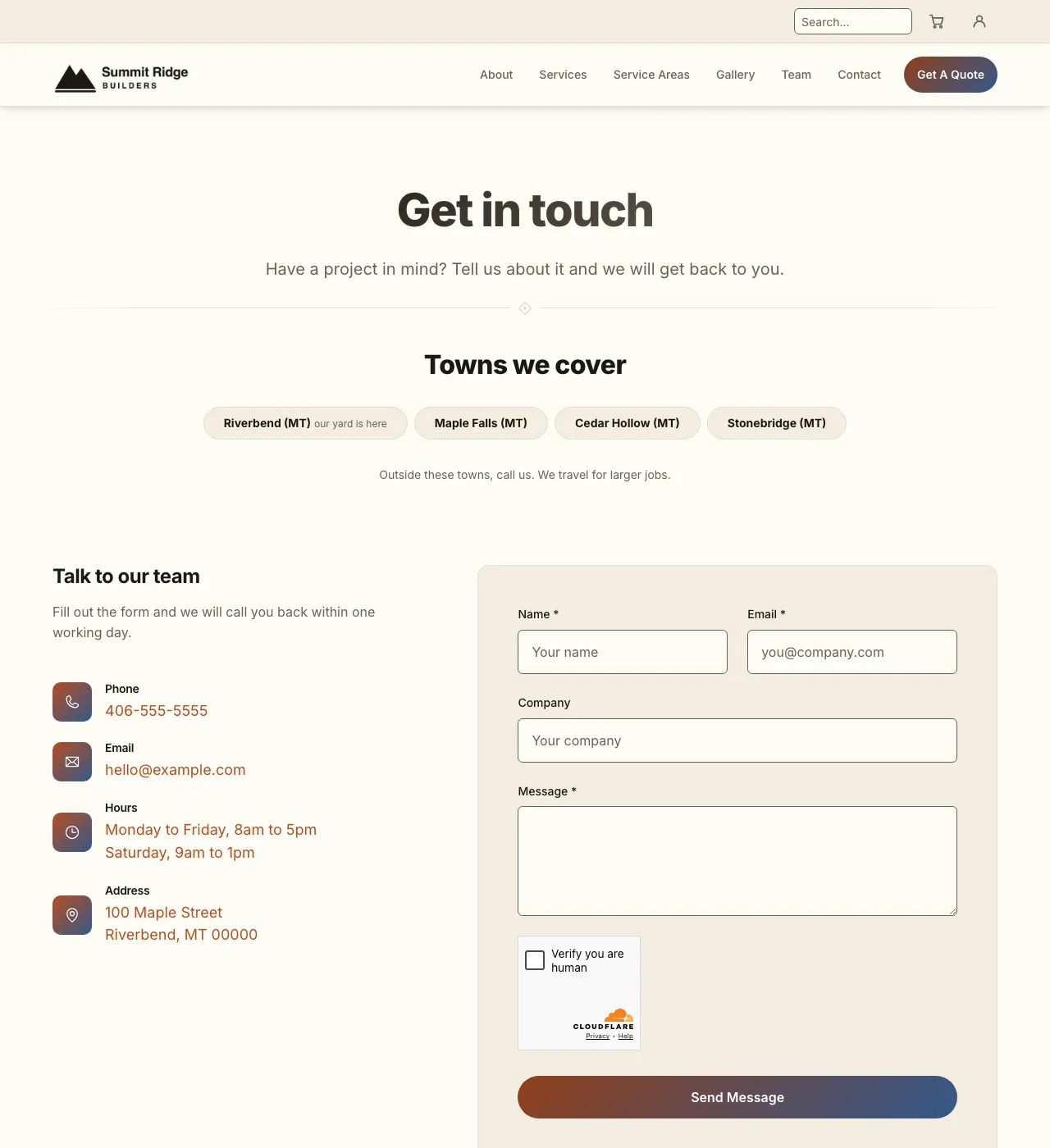
Trailhead, light.
Dark
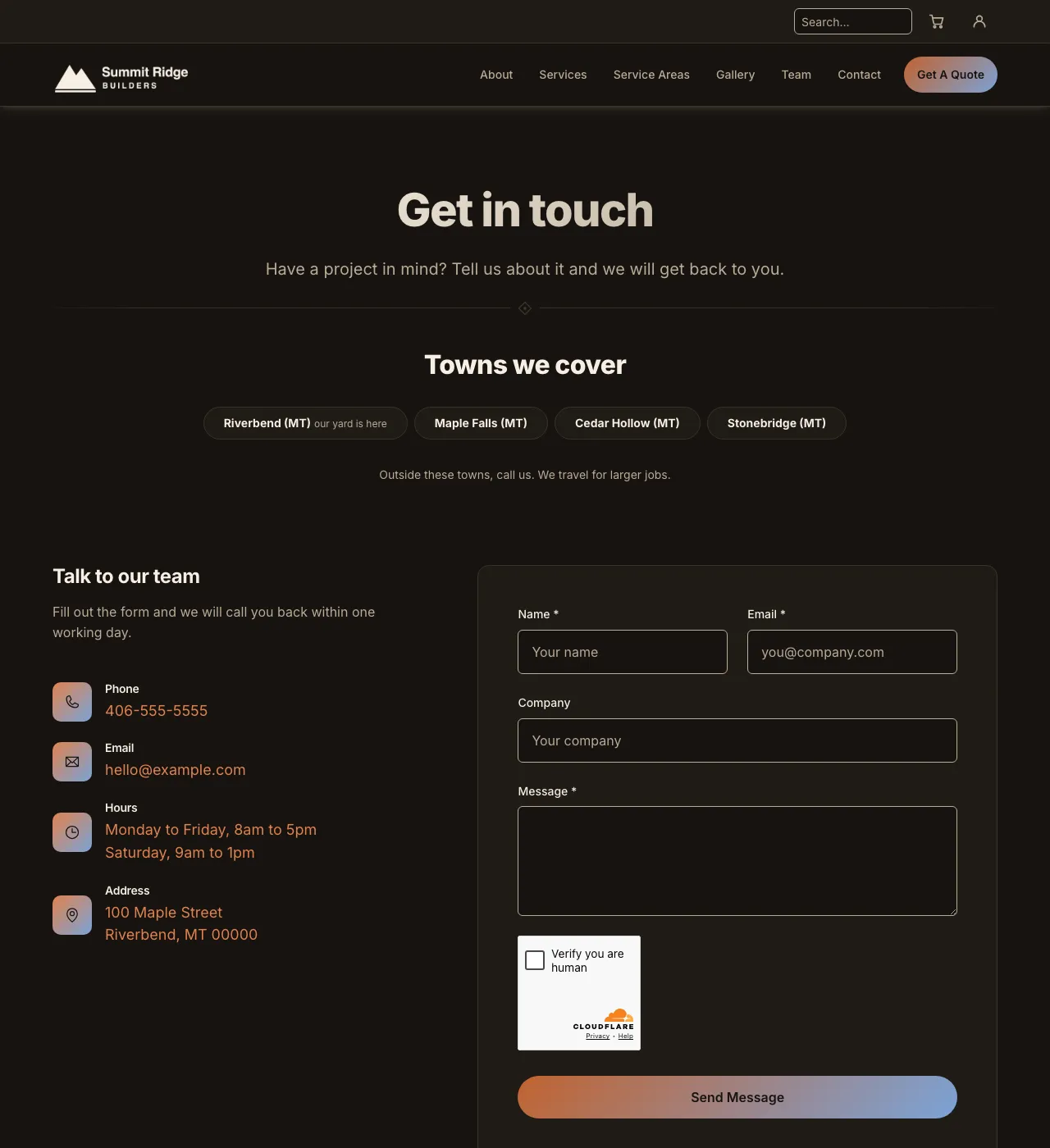
Trailhead, dark.
Butter Lagoon
Deep teal and butter gold.
Light
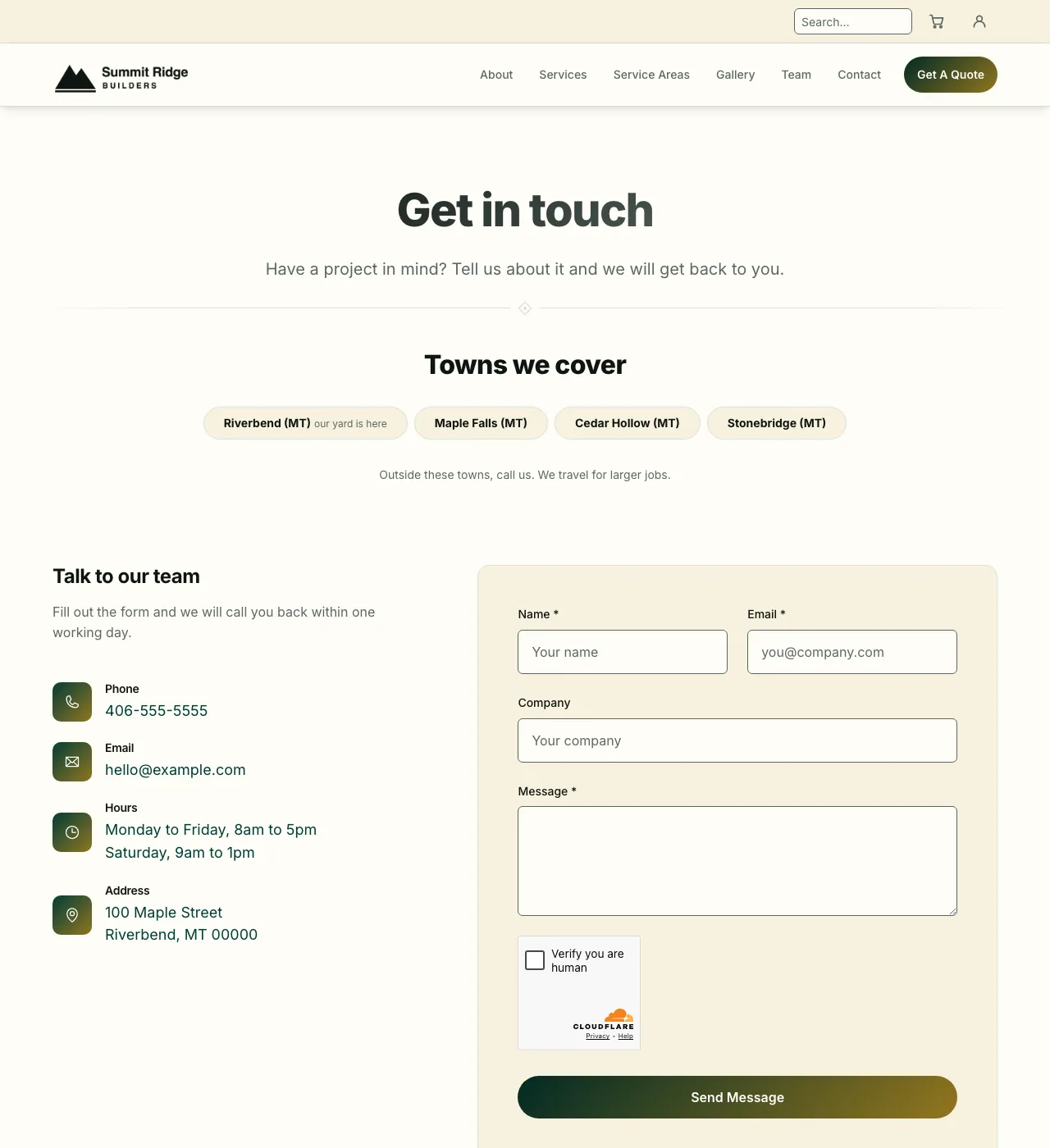
Butter Lagoon, light.
Dark
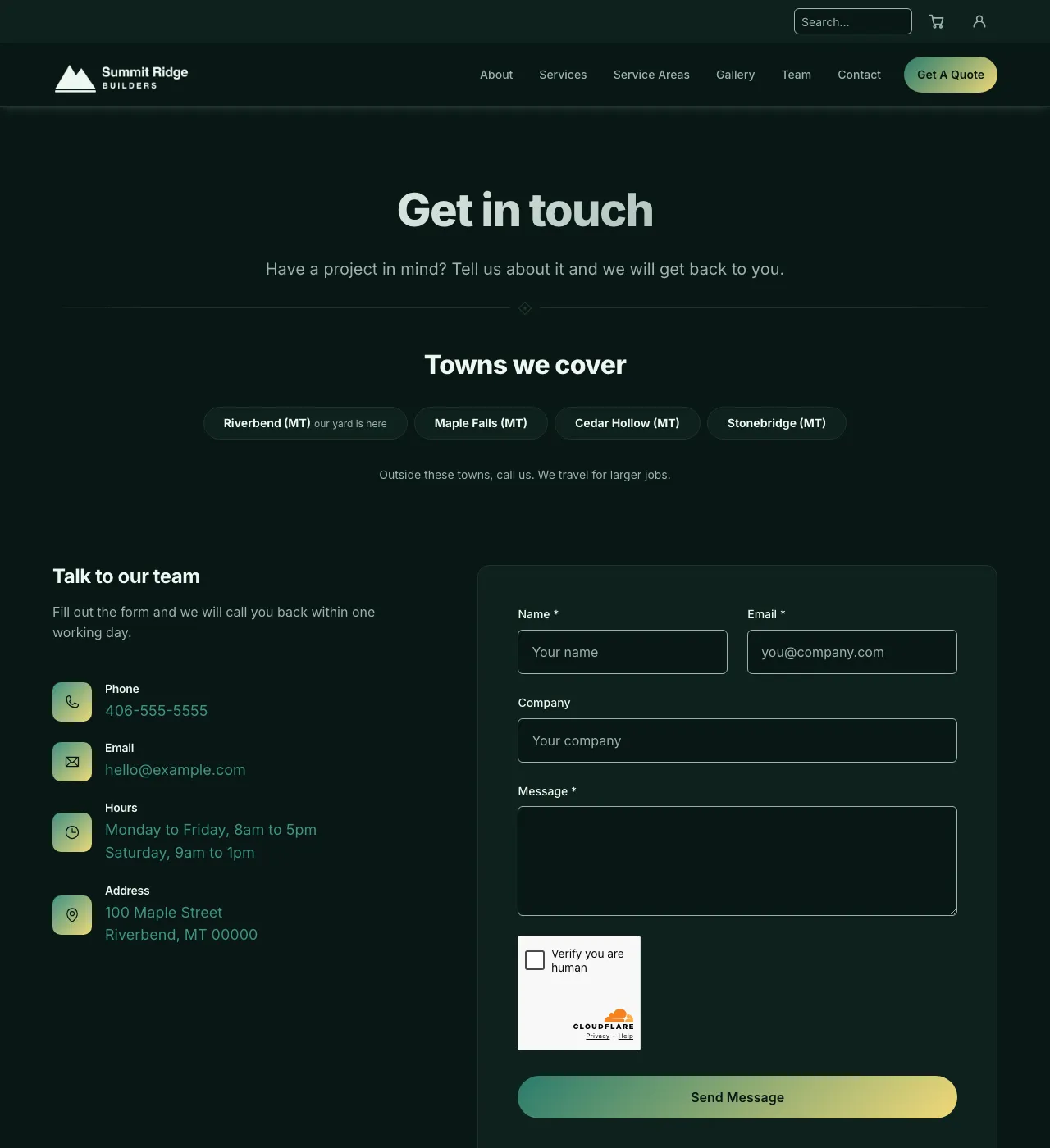
Butter Lagoon, dark.
Marquee Red
Cinema red. No gradients, just solid color.
Light
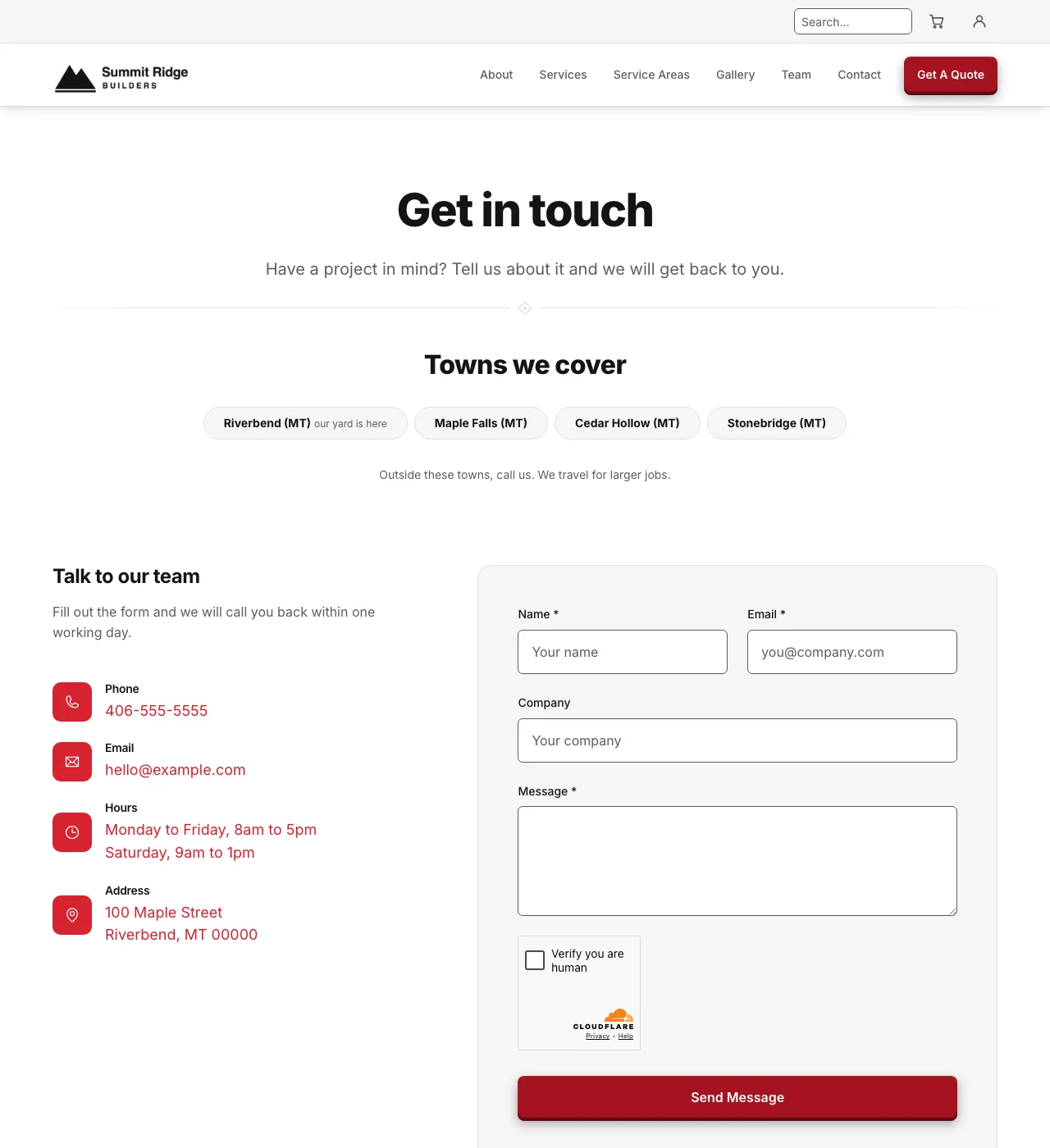
Marquee Red, light.
Dark
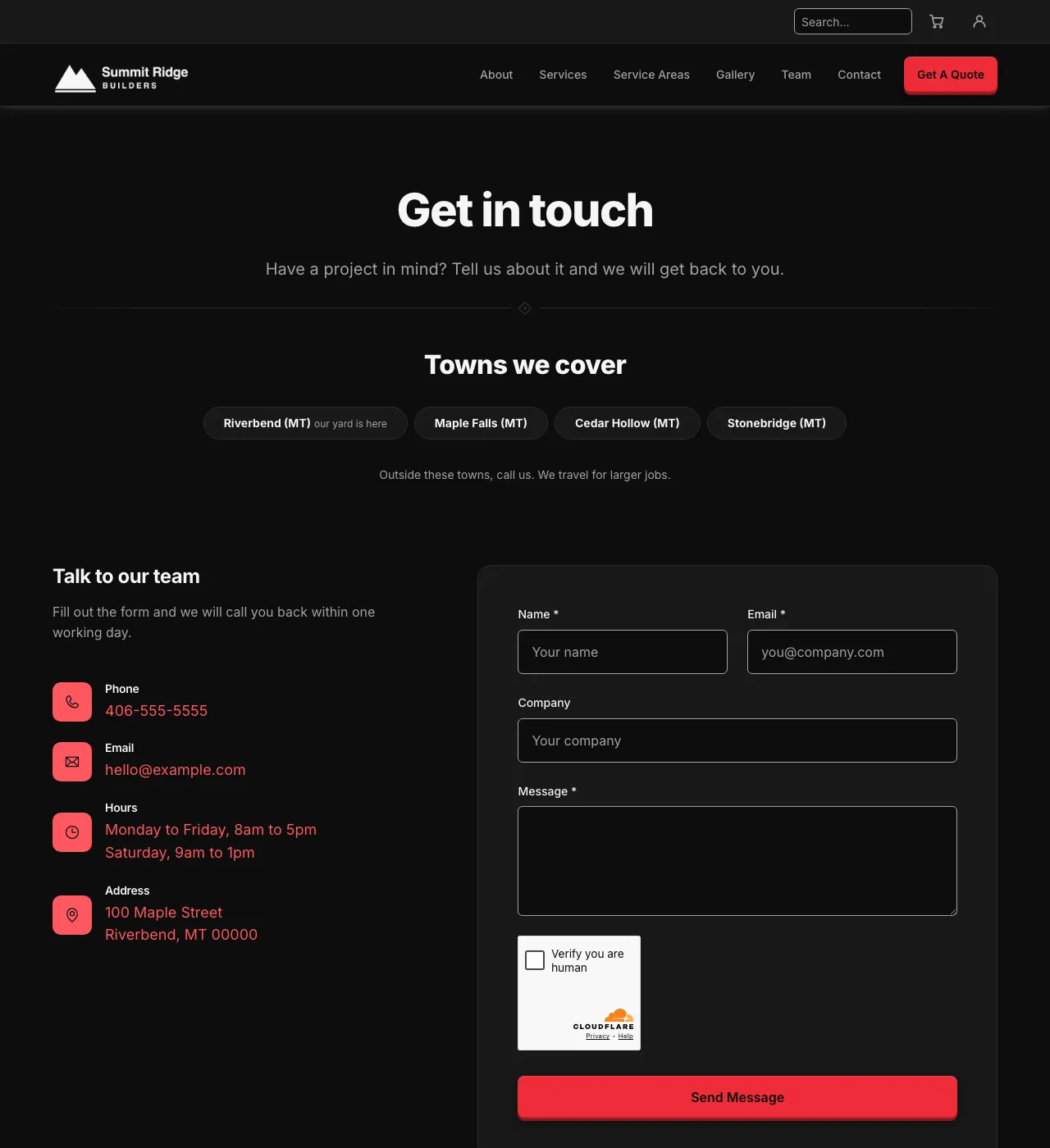
Marquee Red, dark.
Mountain Sunset
Navy and tangerine on a gray canvas, with white cards. Rounded buttons that are never pills. No gradients, just solid color.
Light
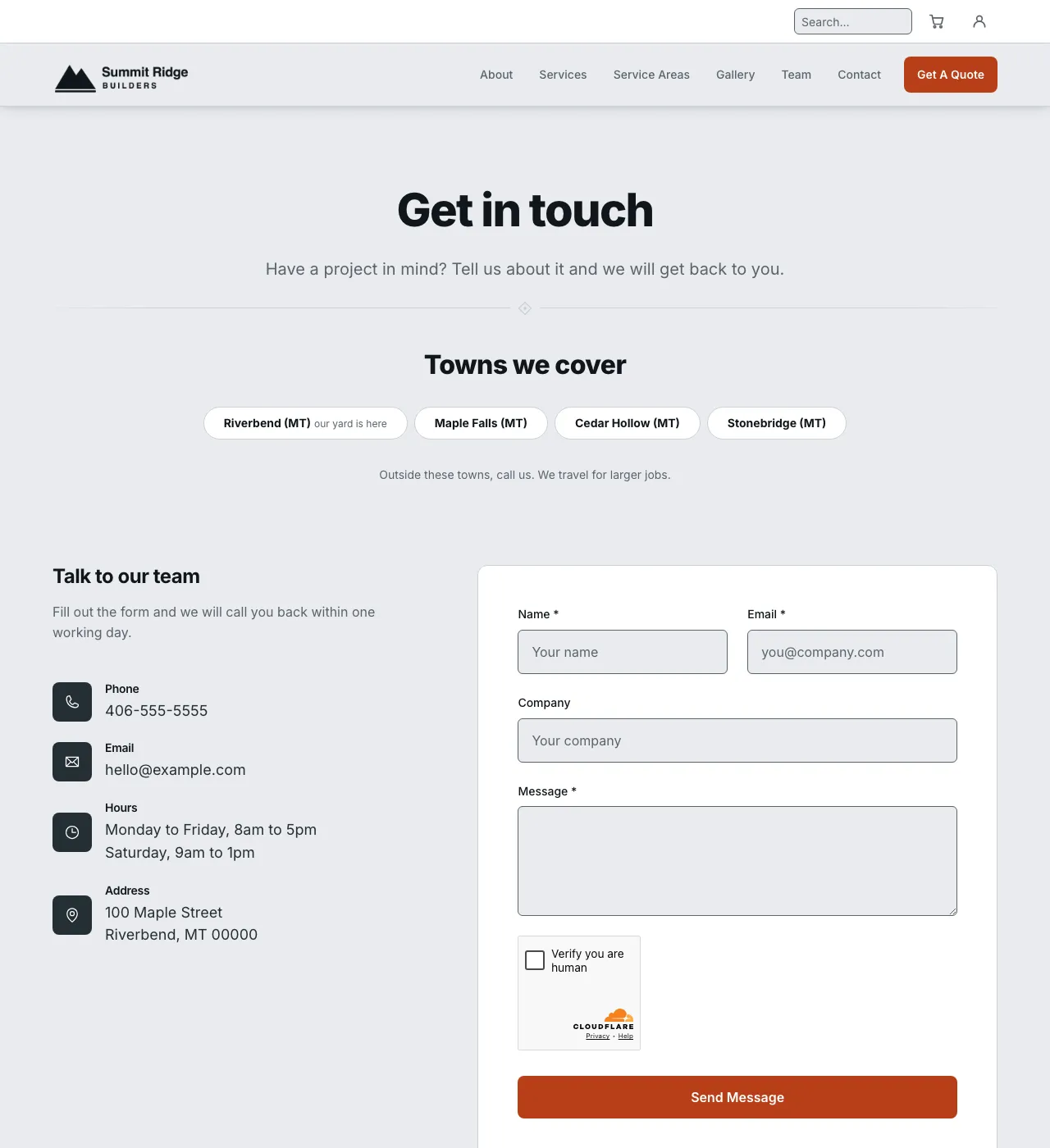
Mountain Sunset, light.
Dark
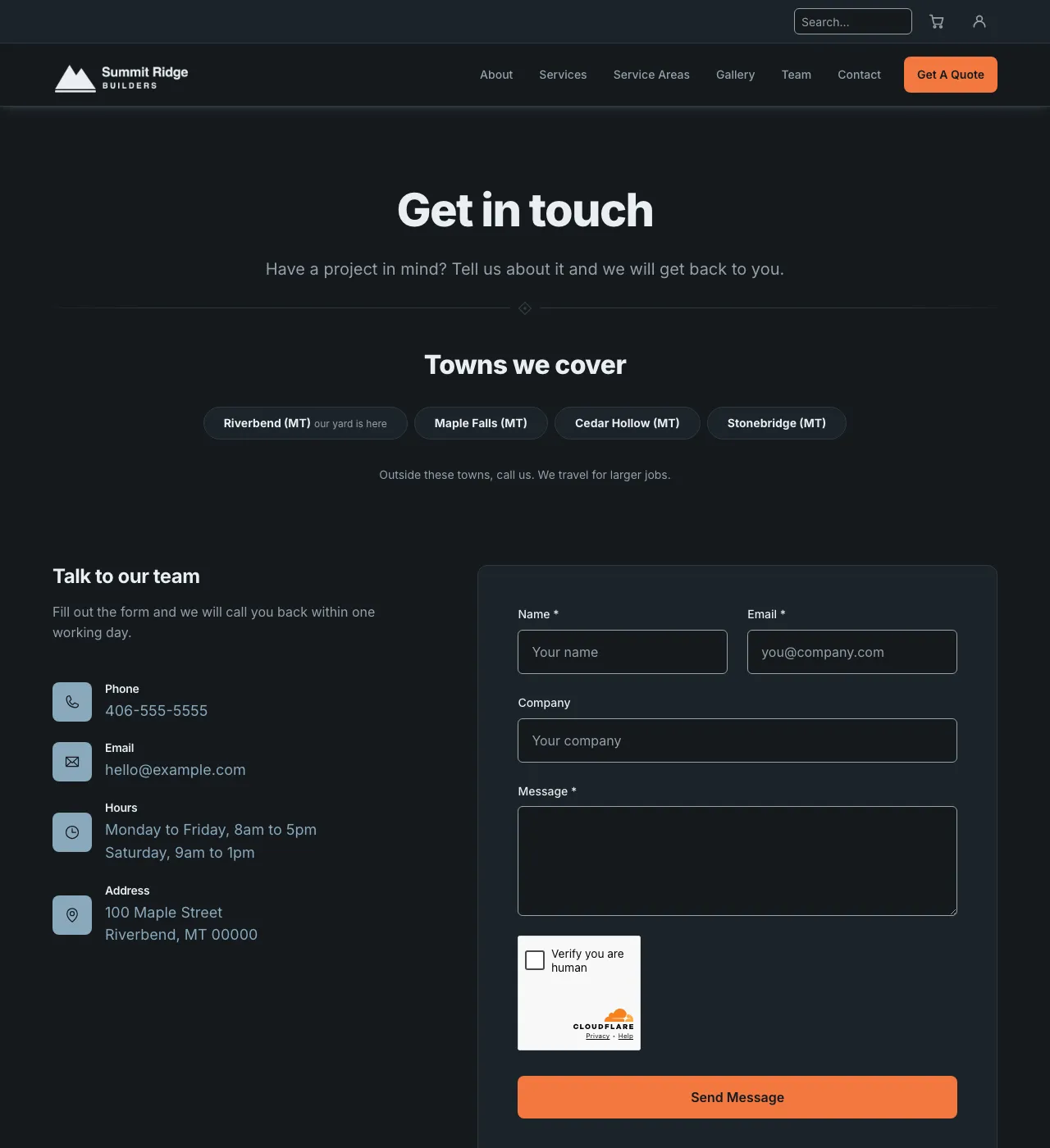
Mountain Sunset, dark.
What done looks like
You have a palette name written down, and your website wears it on the home page and on one inside page. If you changed your mind, the old palette and Apply put it all back.
Next: Step 4: Replace the examples.
Last updated Oct 20, 2026